How BestPortfolio works
Sign in, fill in one page and press Submit. A person reviews every portfolio, usually within two days.
2:08, music only. The same steps, one by one, below.
From sign in to your own page
Eight steps, shown on the real screens of the site.
- 01
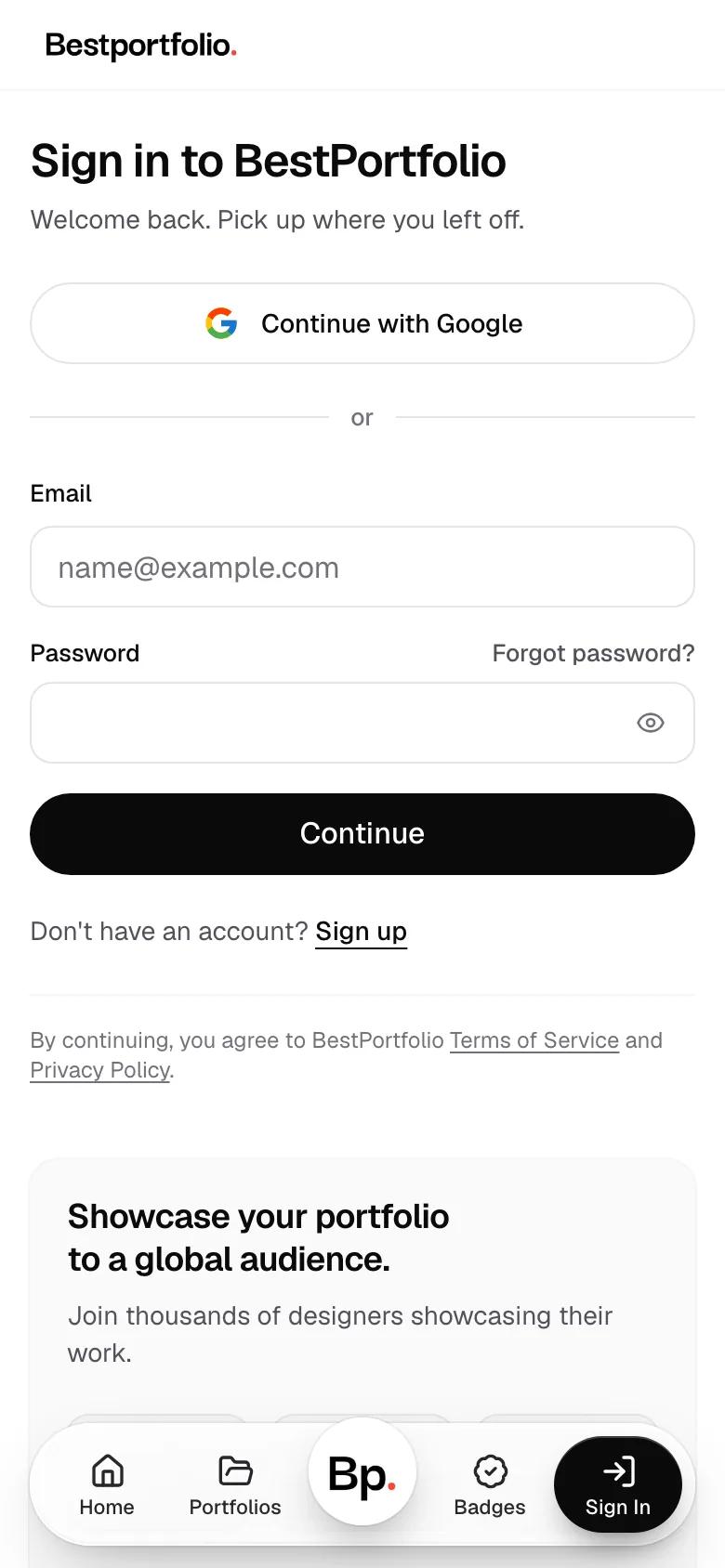
Sign in
Continue with Google, or use your email and a password. No account yet? Sign up from the same page.
- 02
Fill in one page
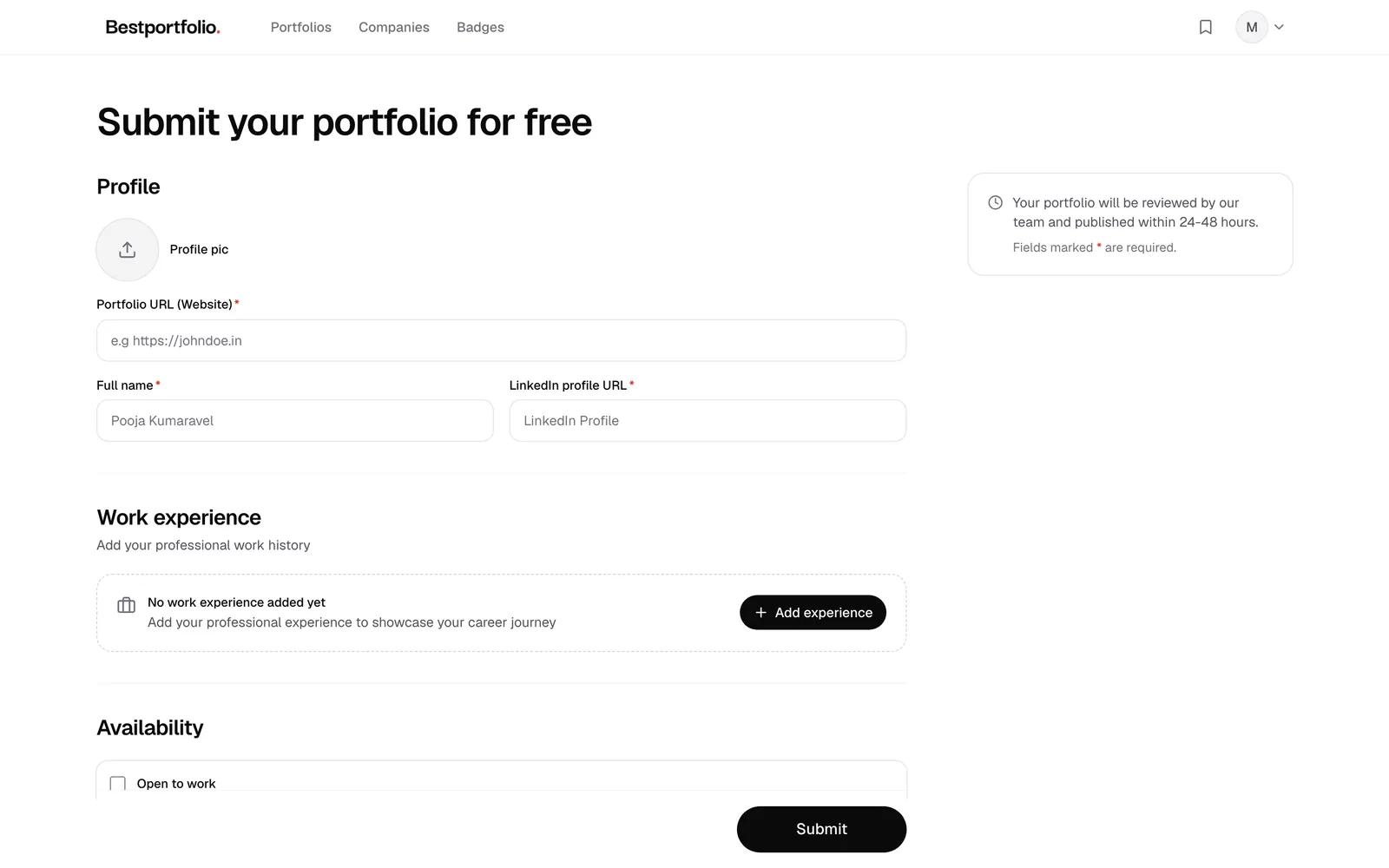
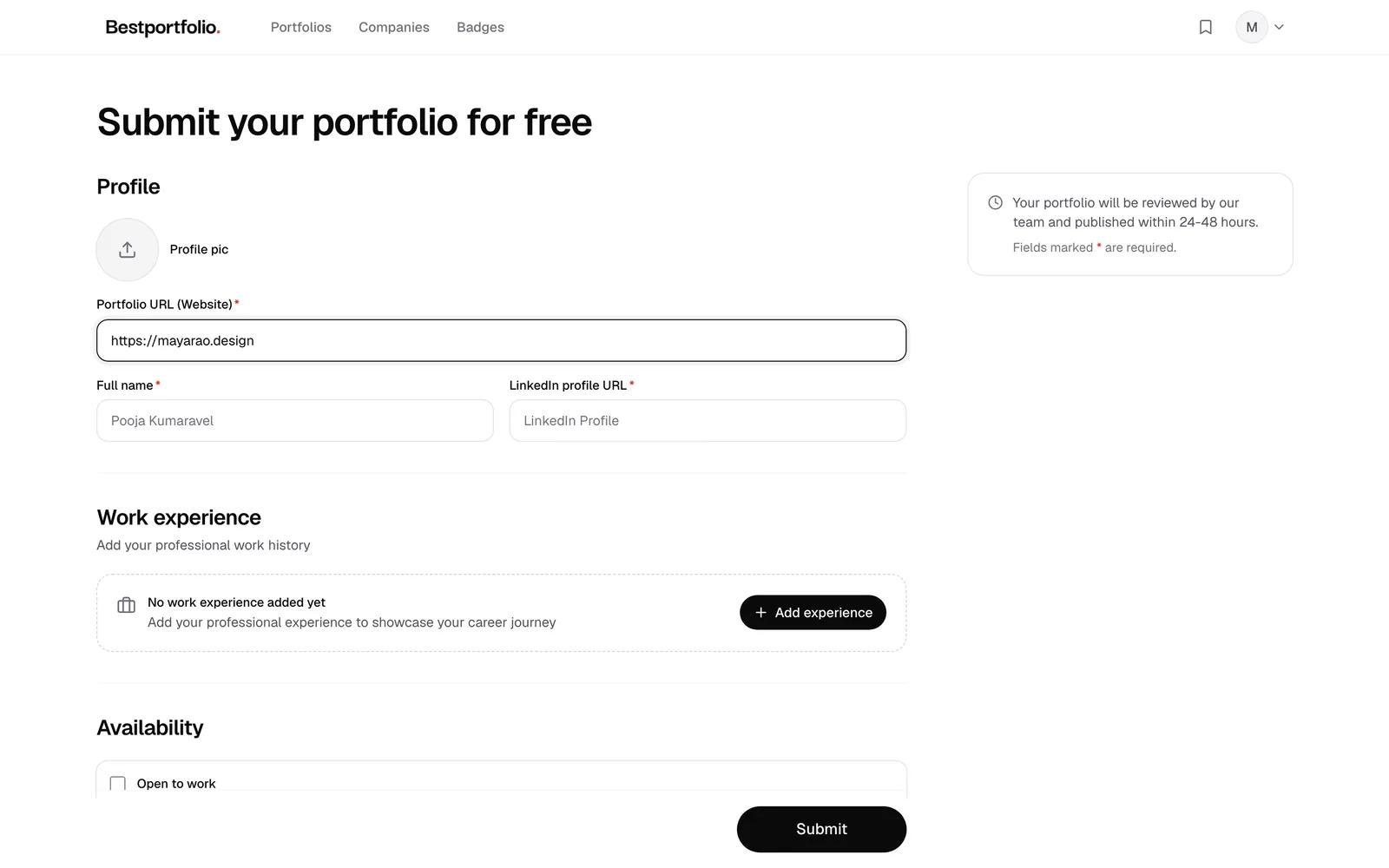
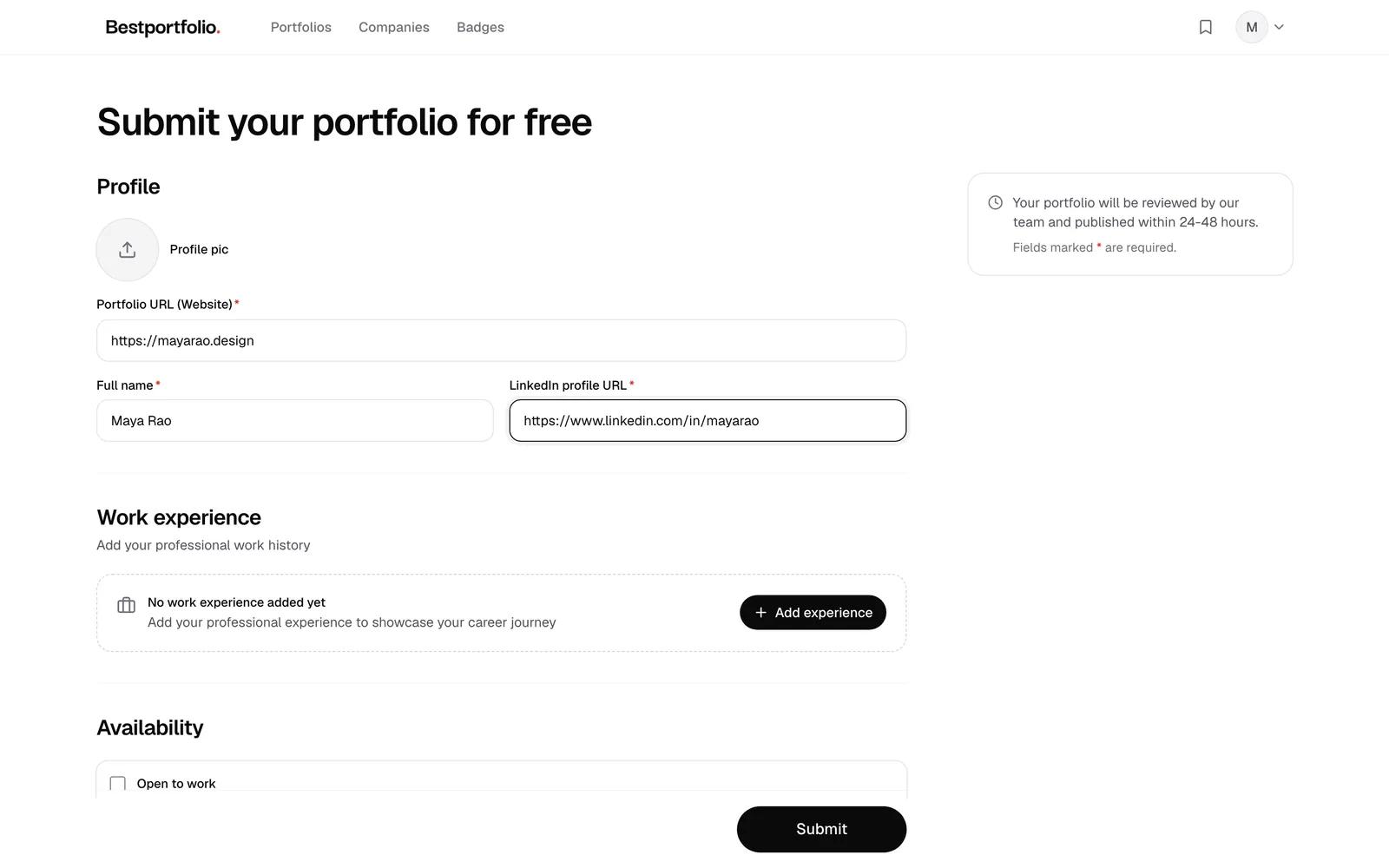
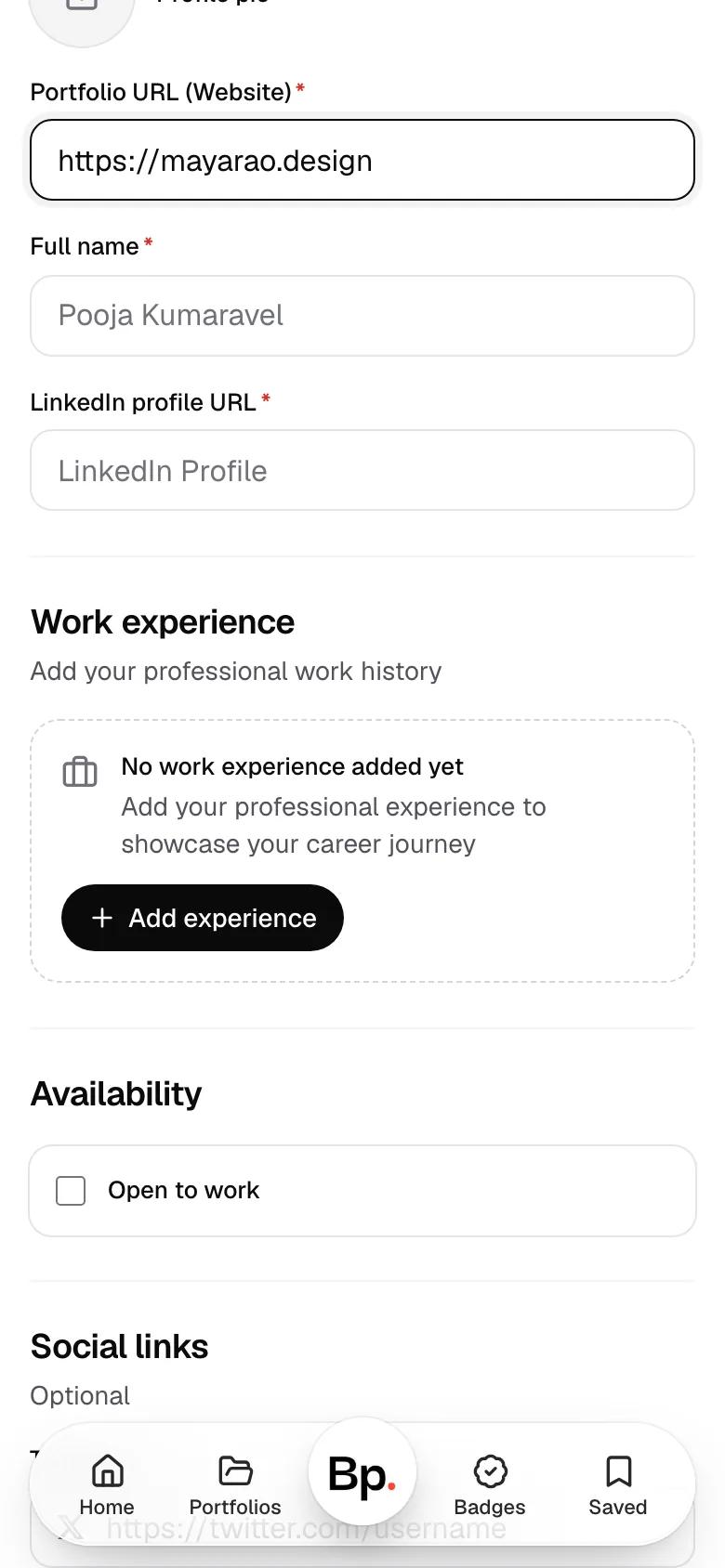
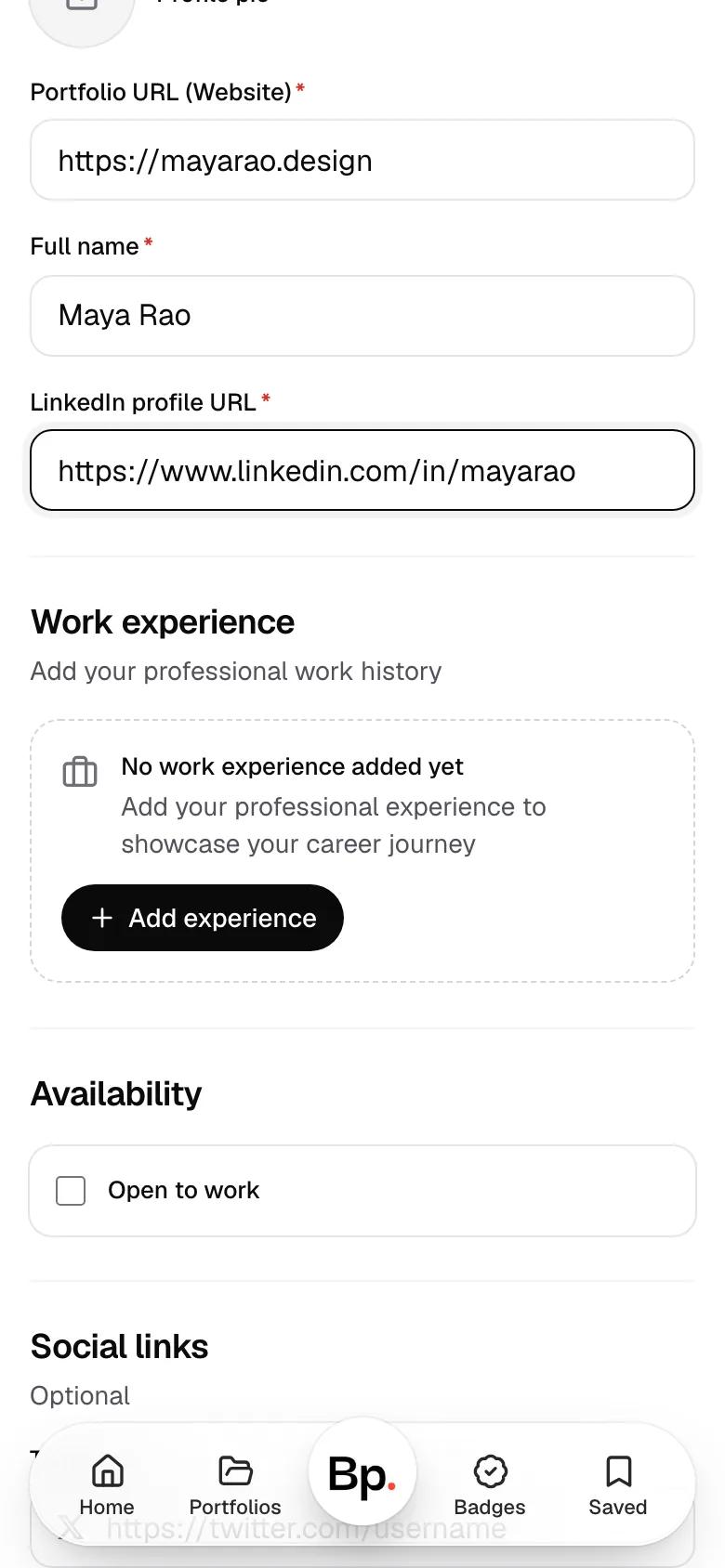
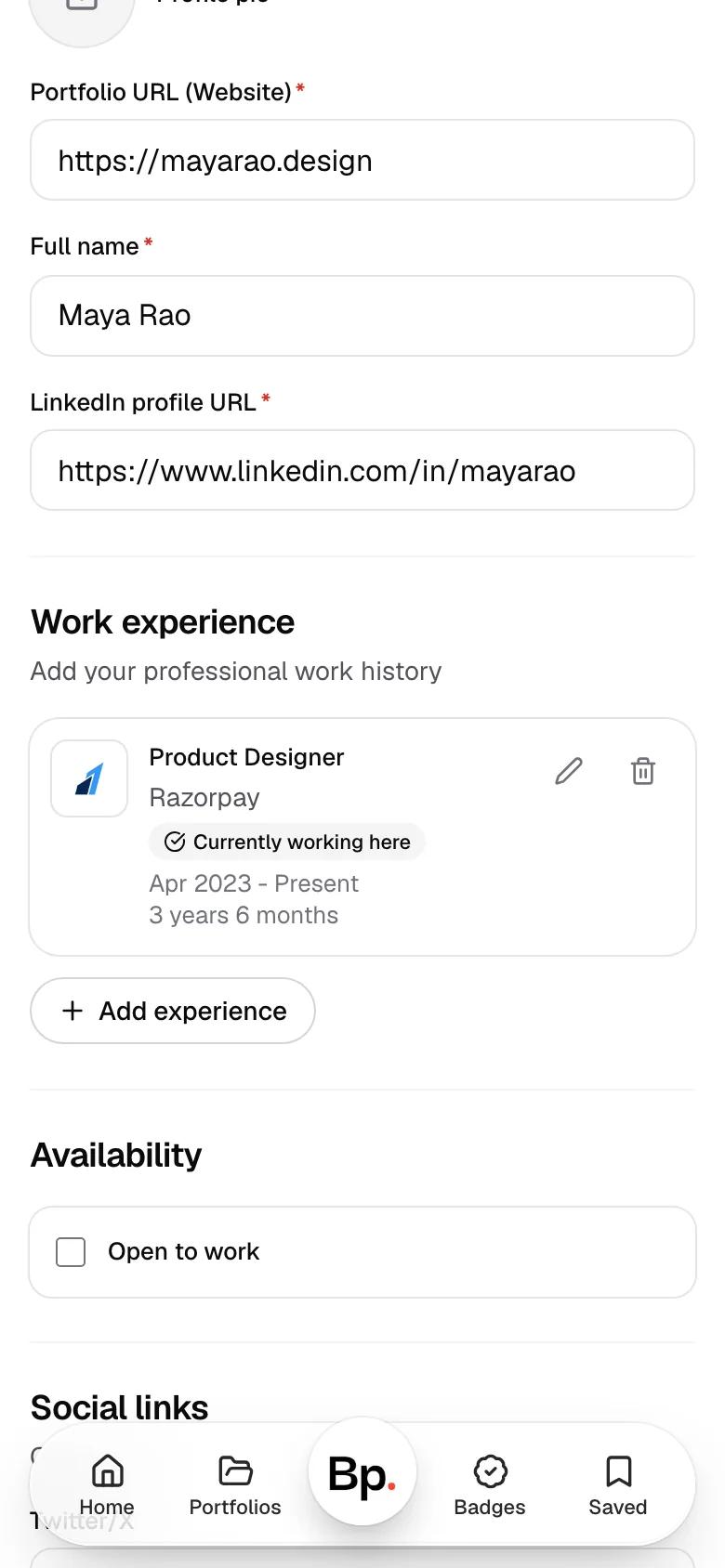
Three fields are required: your portfolio link, your full name and your LinkedIn profile. The whole form is on one page.
- The form, empty
- Paste your portfolio link
- Add your name and LinkedIn
- 03
Add where you work
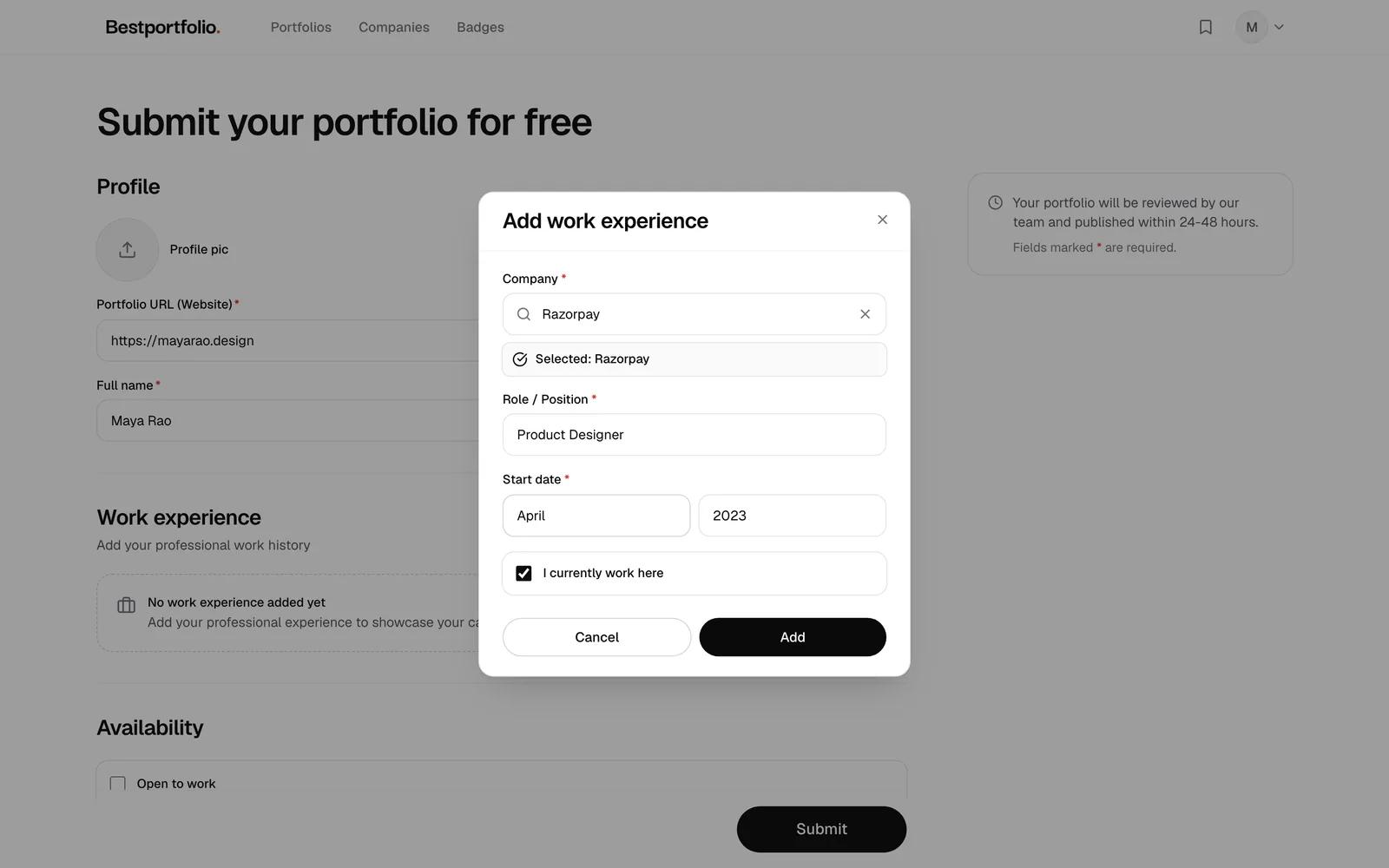
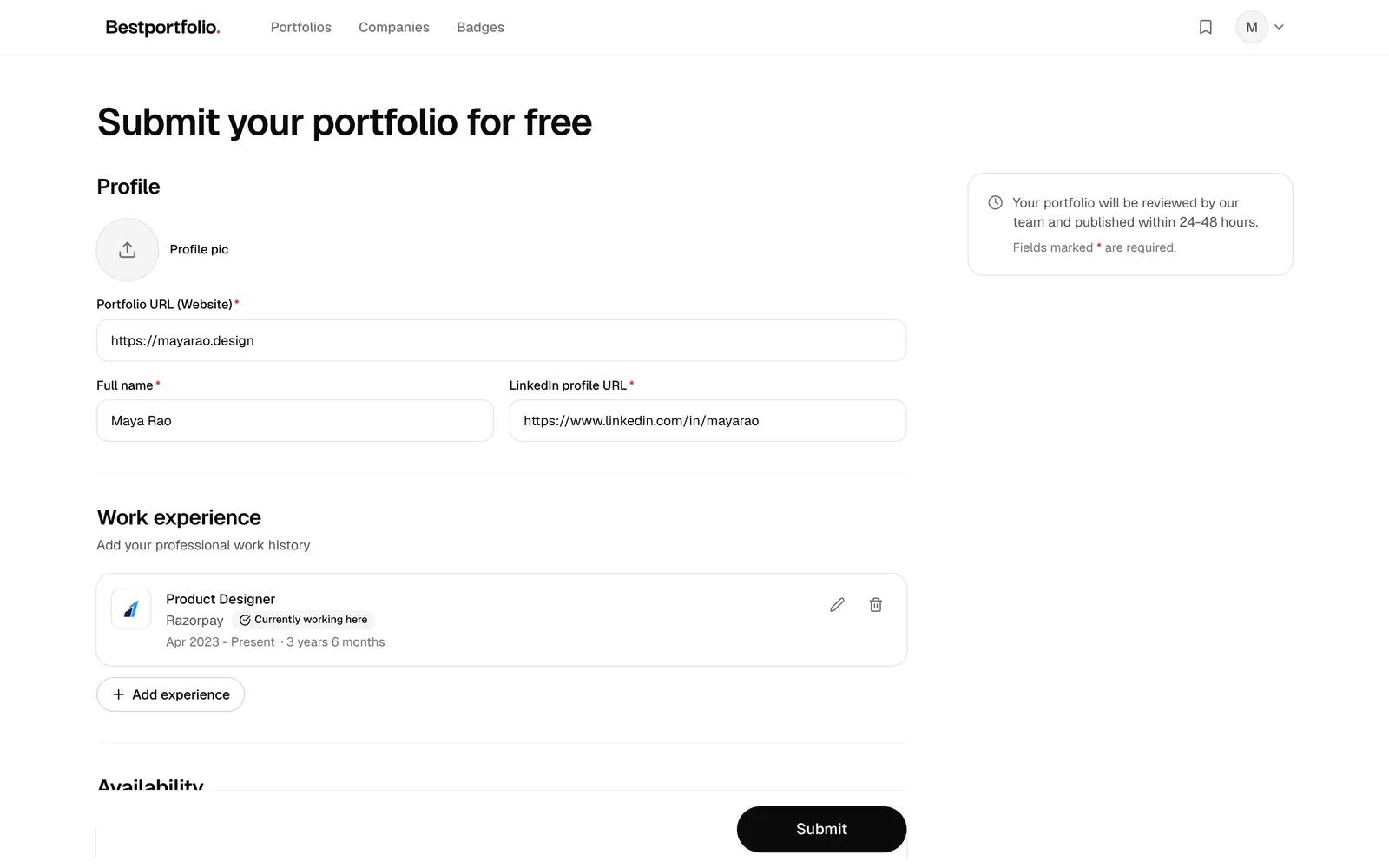
Search for the company, add your role and when you started, and tick I currently work here if it applies.
- Find the company, add your role
- It joins your work history
- 04Optional
Open to work and social links
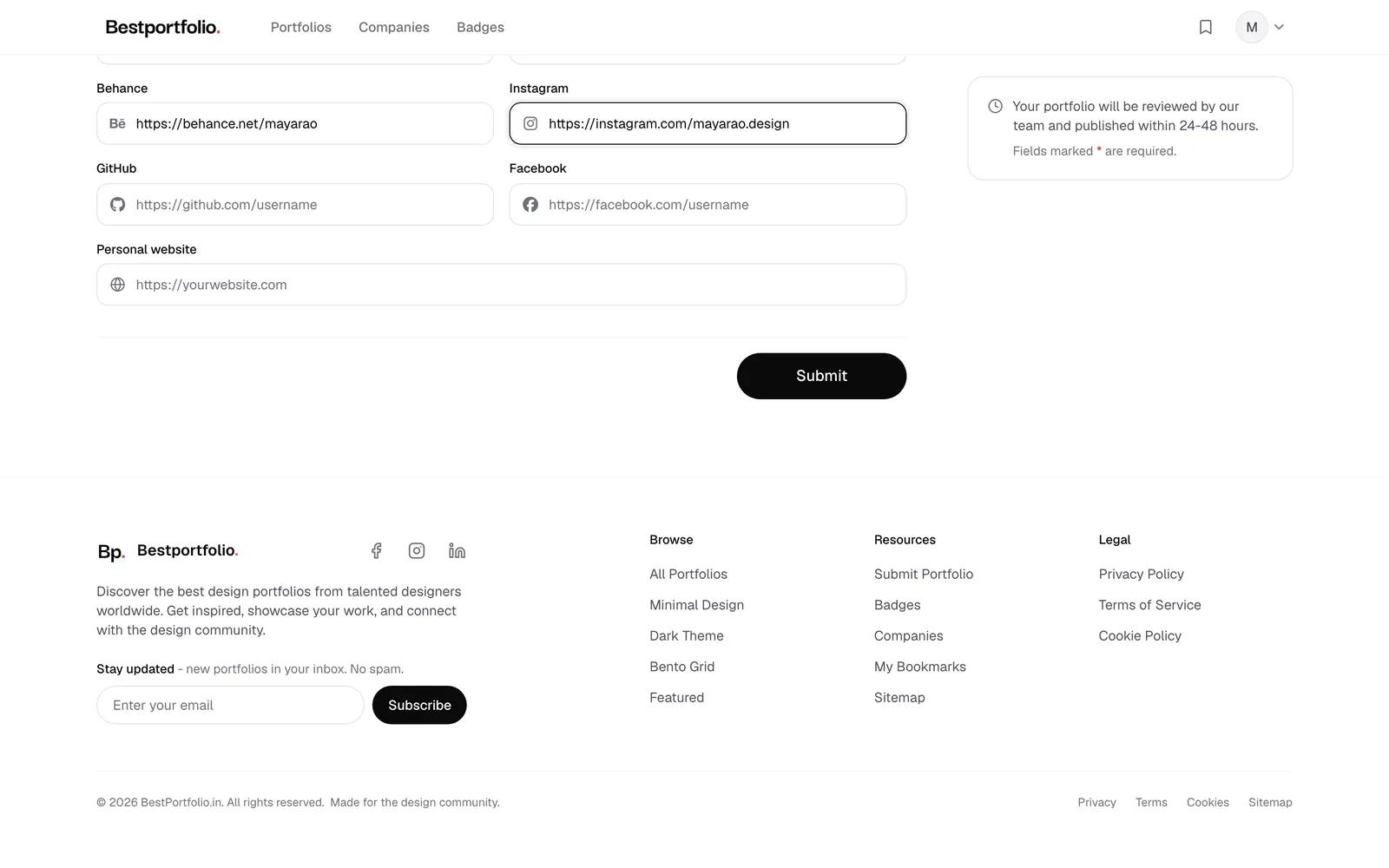
Tick Open to work if you are looking, and add your Dribbble, Behance, GitHub, Instagram or other profiles.
- 05
Submit
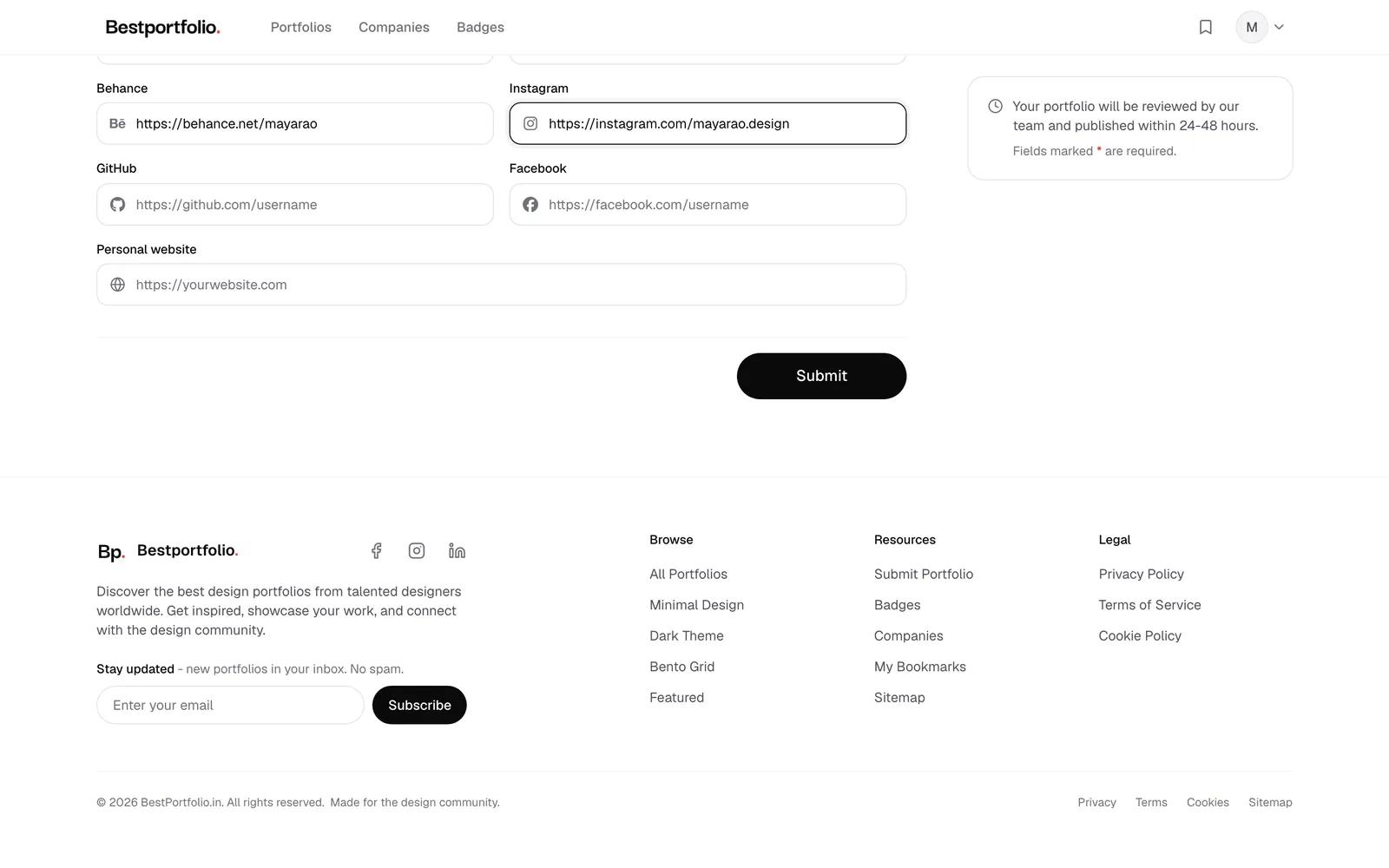
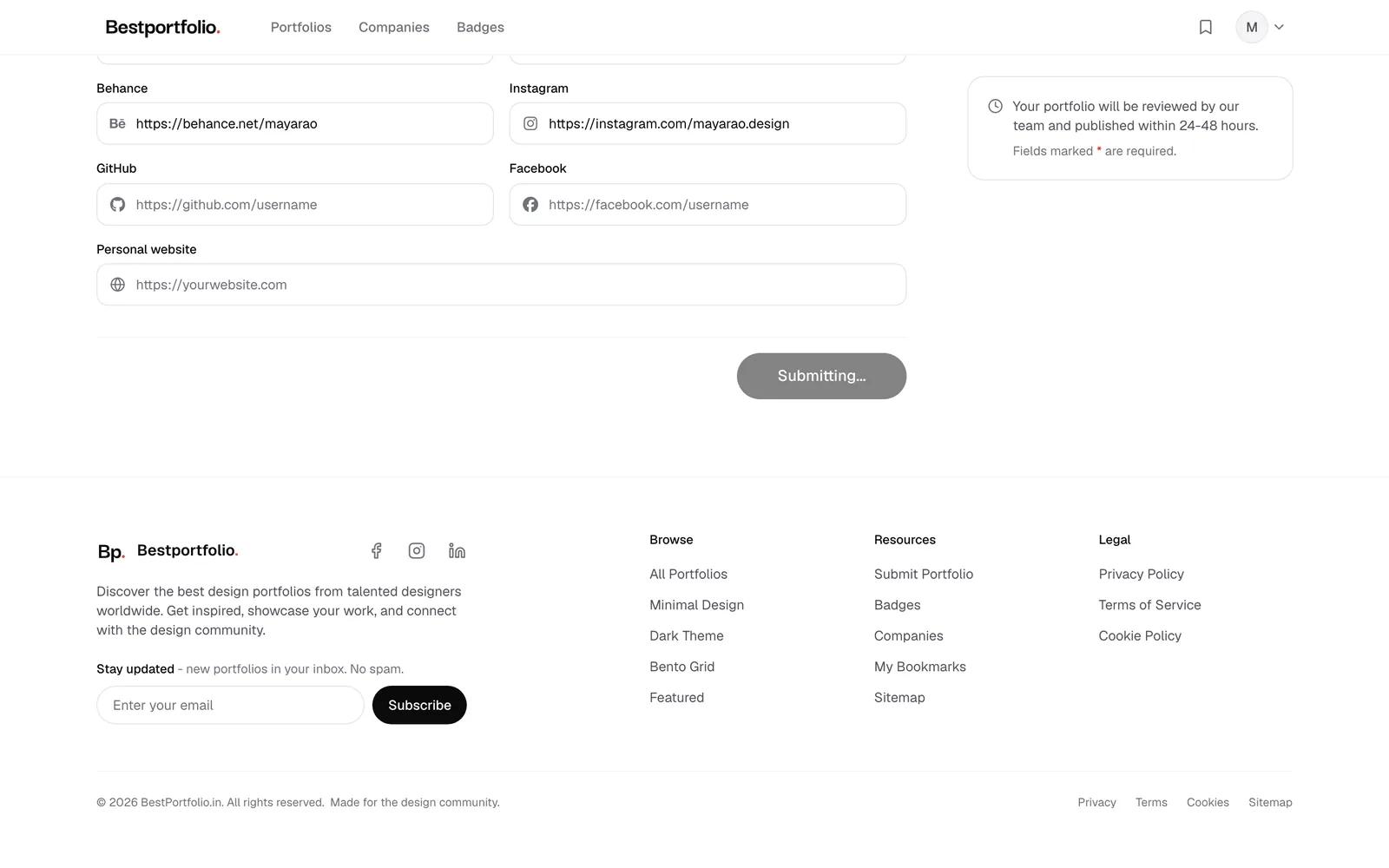
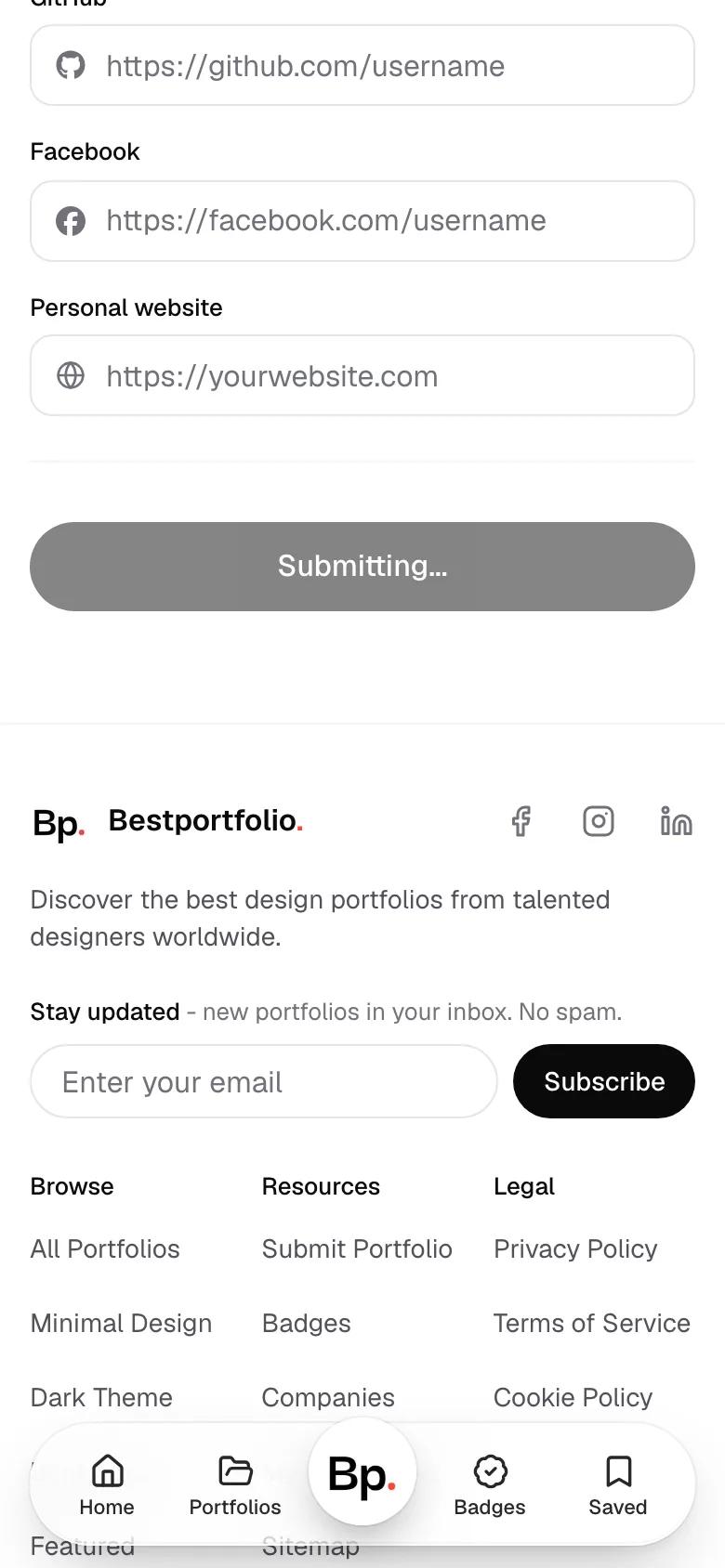
Press Submit. You do not pick styles or take screenshots: the review team takes the screenshots and picks the styles.
- Everything filled in
- Submitting
- 06
Reviewed by hand
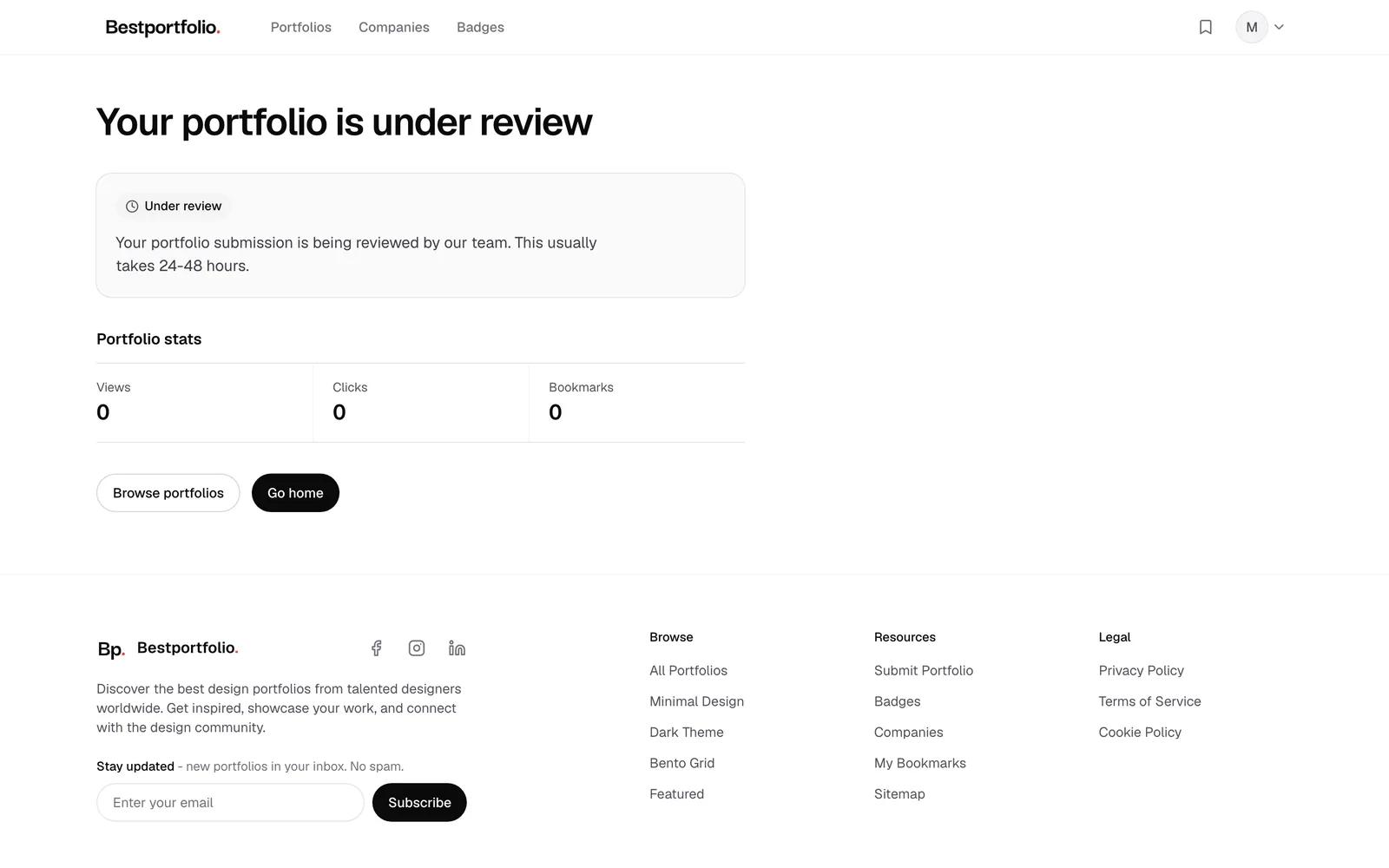
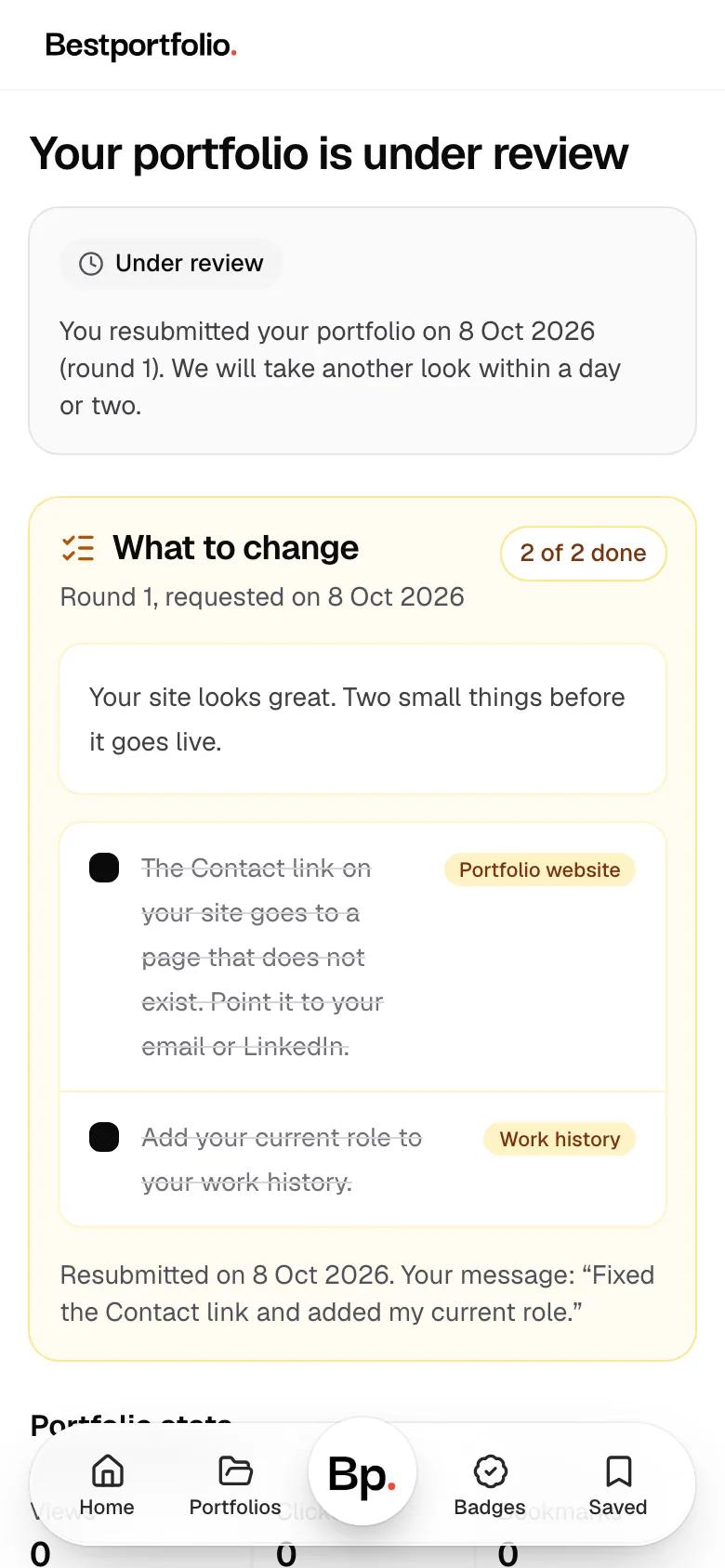
A person looks at every portfolio, usually within two days. Until then your page says Under review.
- 07
A checklist, not a no
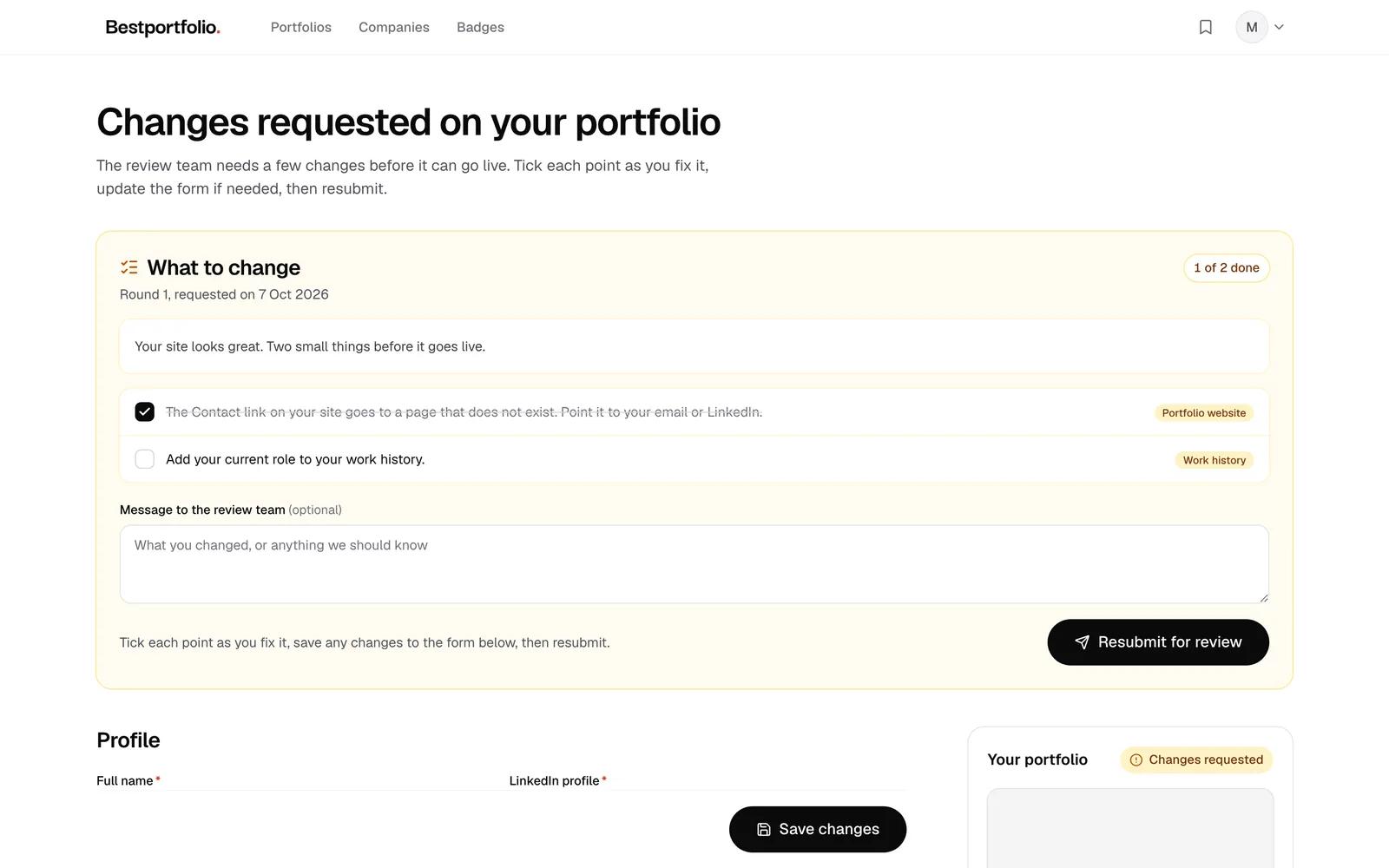
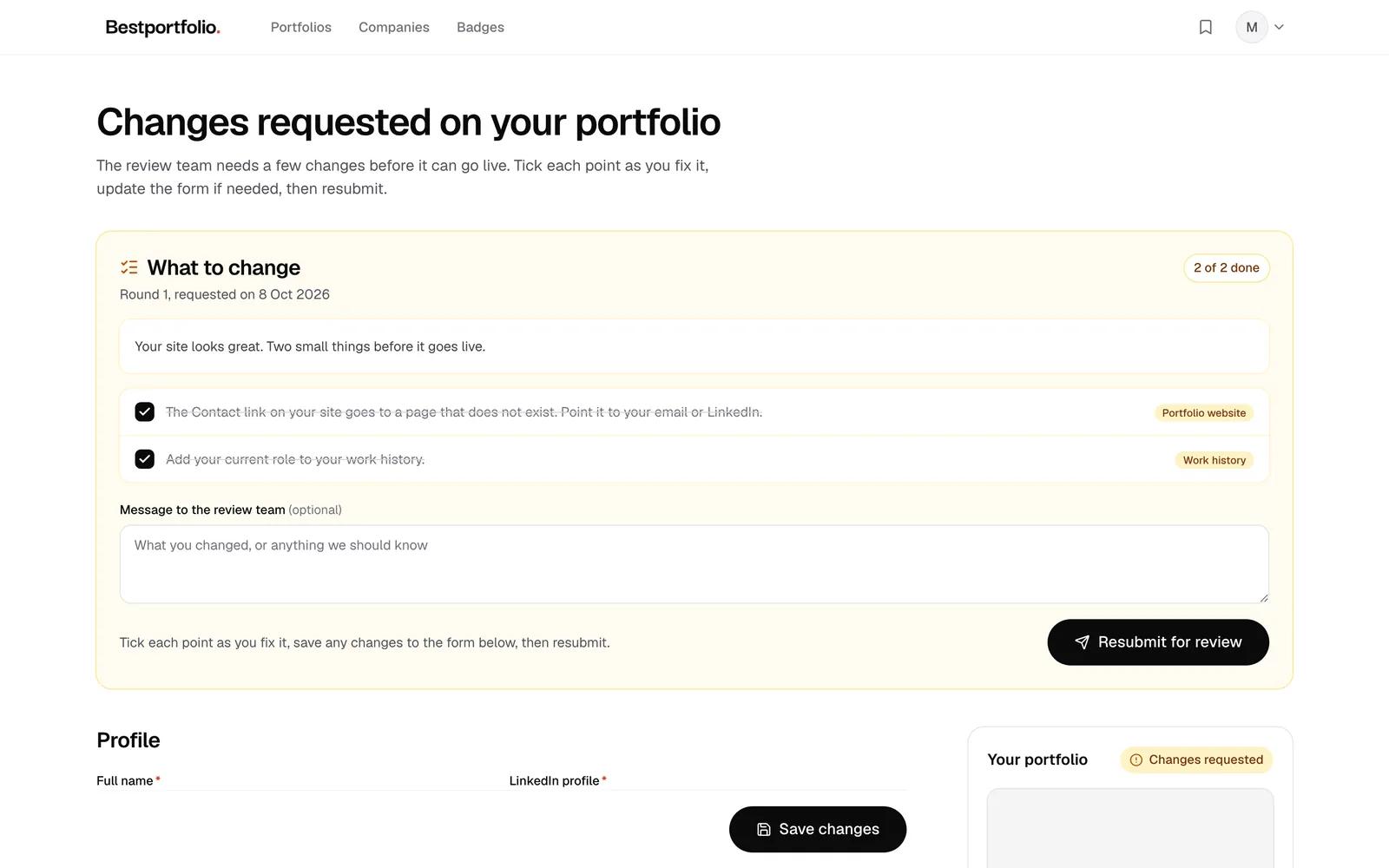
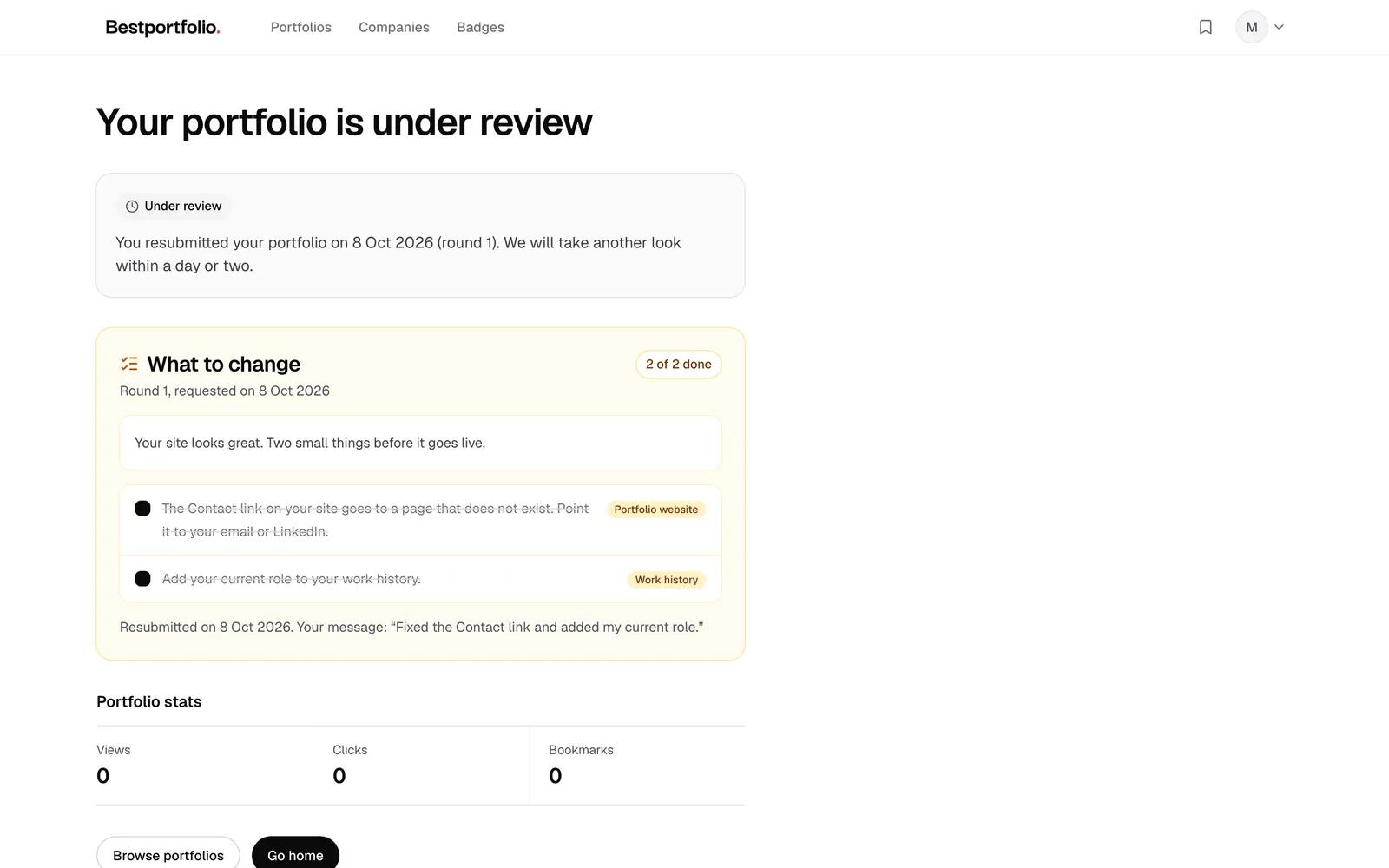
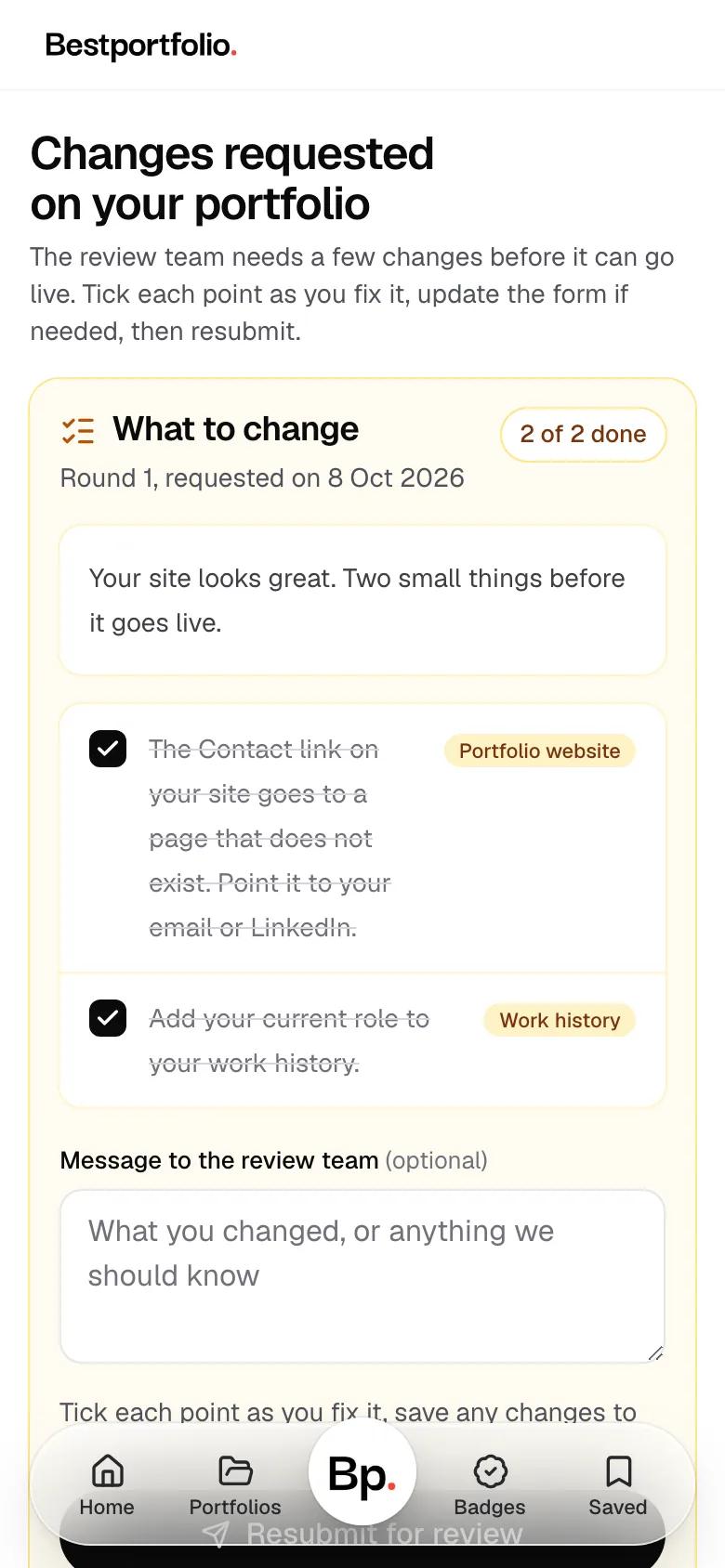
If something needs fixing, you get a short checklist by email and on your page. Nothing has been rejected. Tick each point as you fix it, then resubmit.
- The checklist from the review team
- Tick each point as you fix it
- Resubmitted for another look
- 08
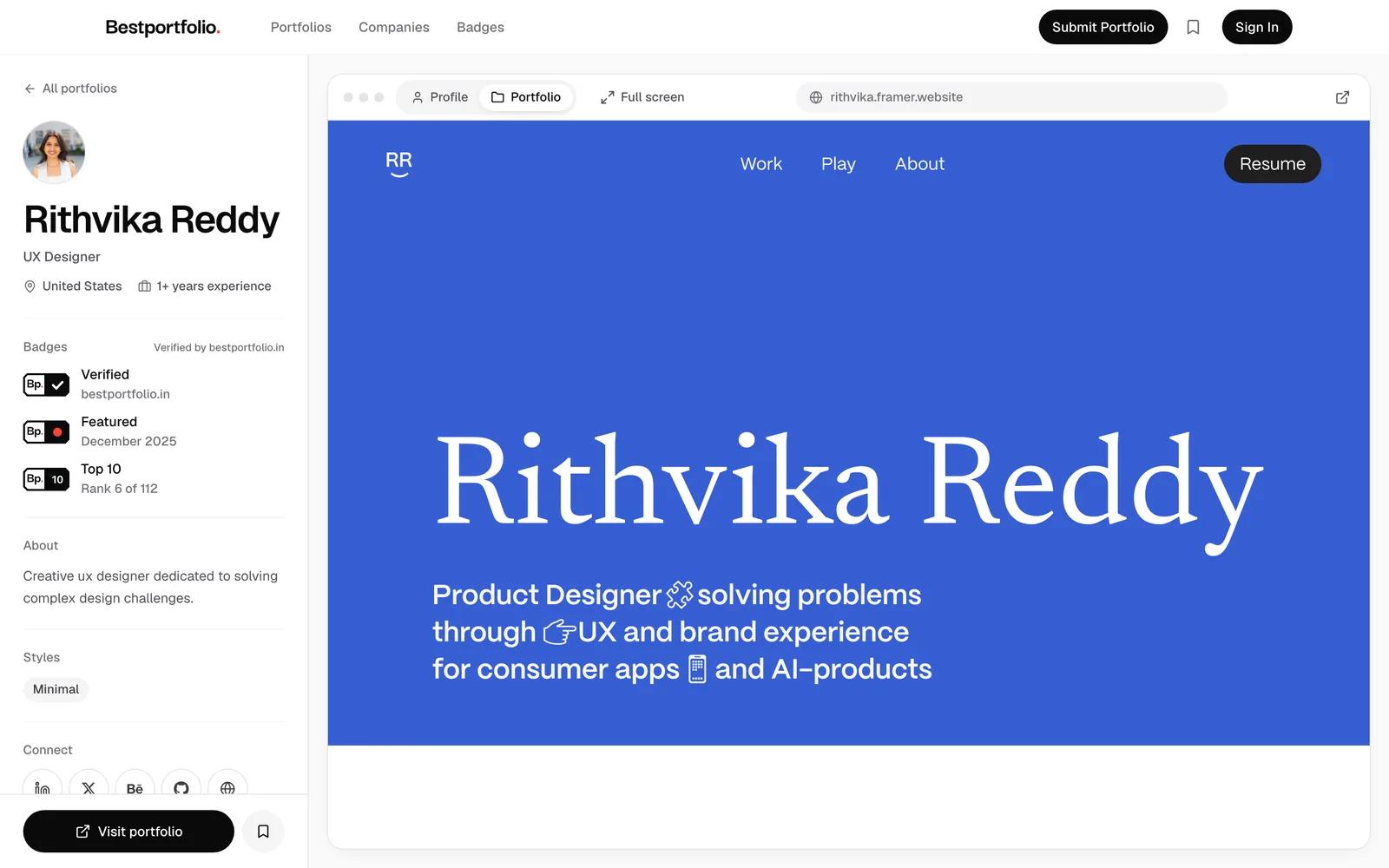
Approved: your own page, Verified
Your portfolio goes live on a page of its own at bestportfolio.in, with the Verified badge. BestPortfolio also shares it on LinkedIn and Instagram.
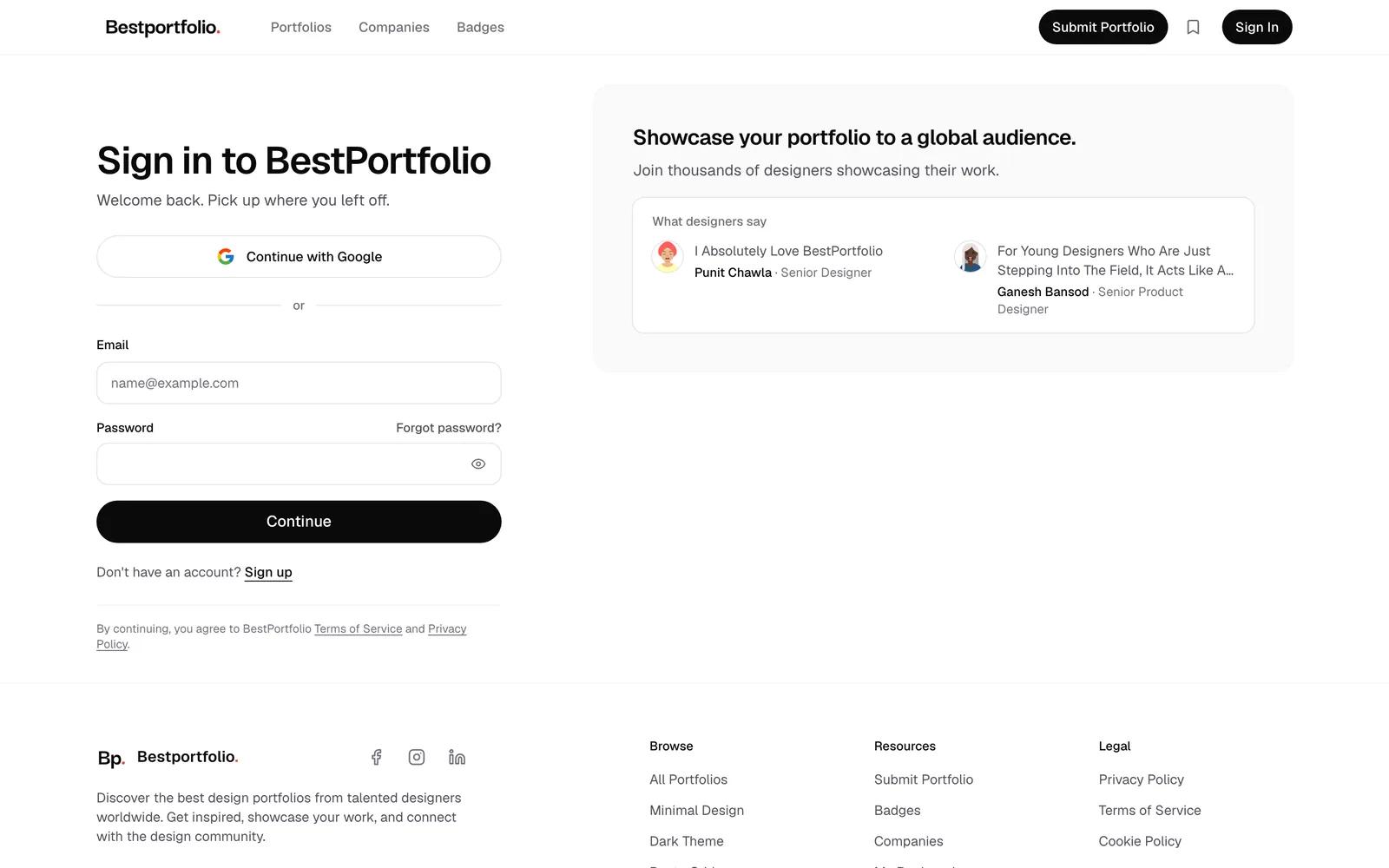
Sign in to BestPortfolio
Step 1 of 8
01
Sign in
Continue with Google, or use your email and a password. No account yet? Sign up from the same page.
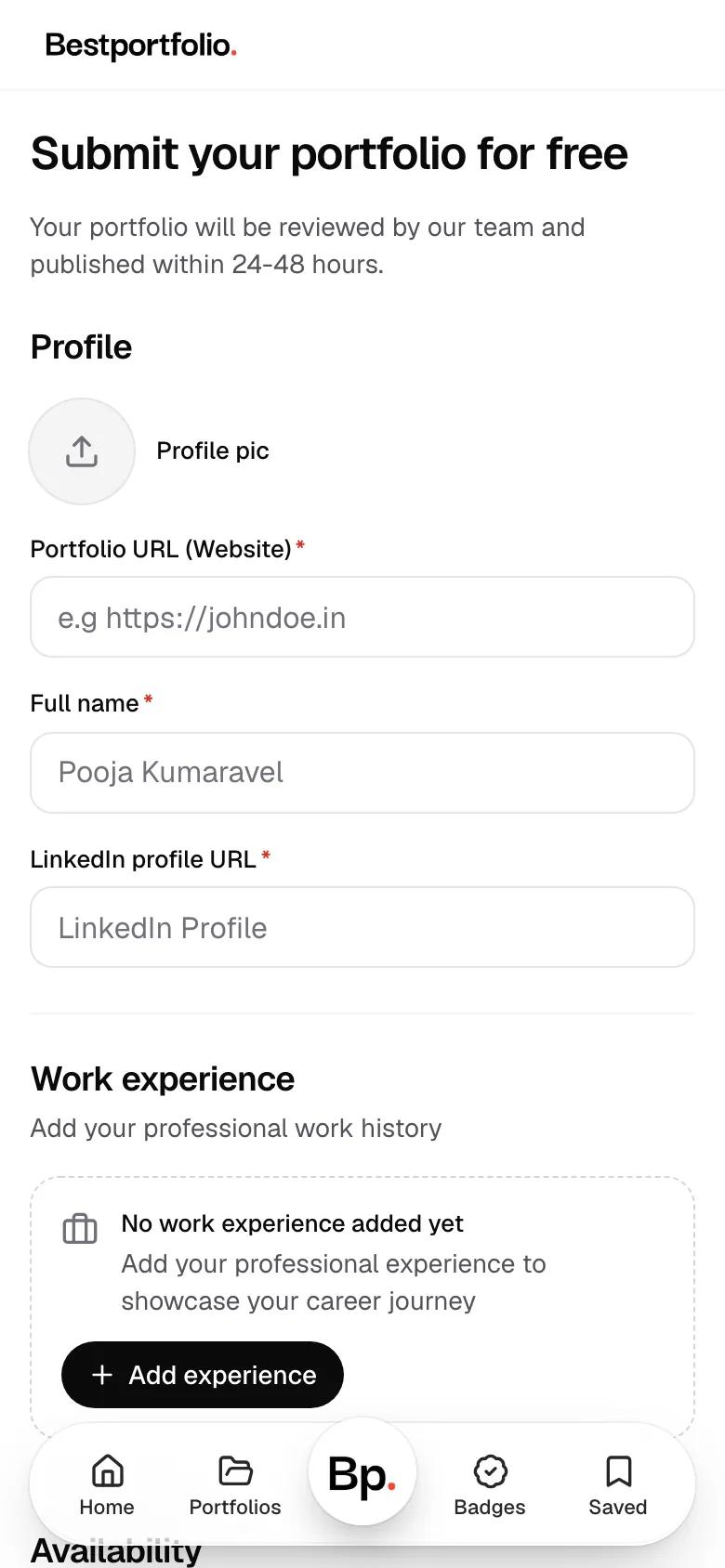
The form, empty
02Sample profile
Fill in one page
Three fields are required: your portfolio link, your full name and your LinkedIn profile. The whole form is on one page.
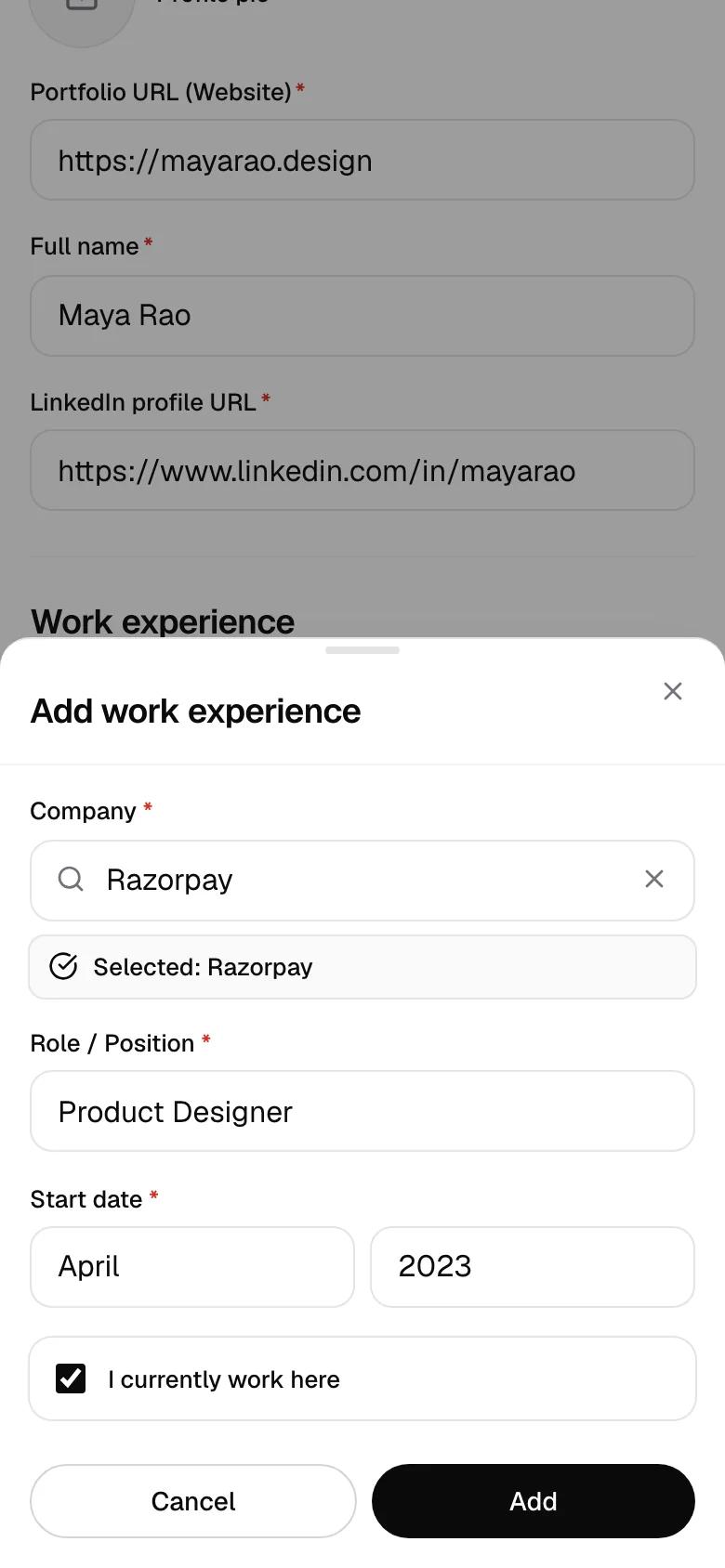
Find the company, add your role
03Sample profile
Add where you work
Search for the company, add your role and when you started, and tick I currently work here if it applies.
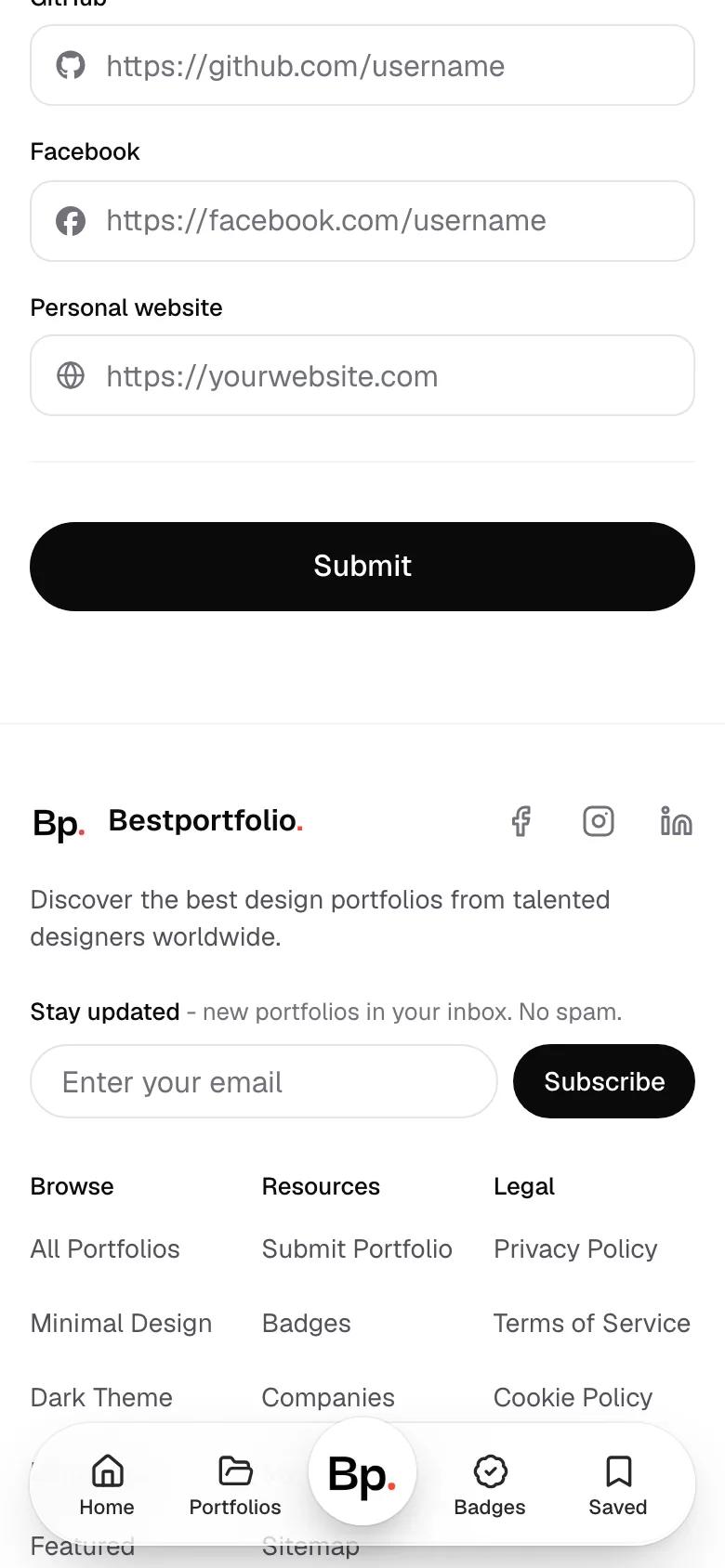
04OptionalSample profile
Open to work and social links
Tick Open to work if you are looking, and add your Dribbble, Behance, GitHub, Instagram or other profiles.
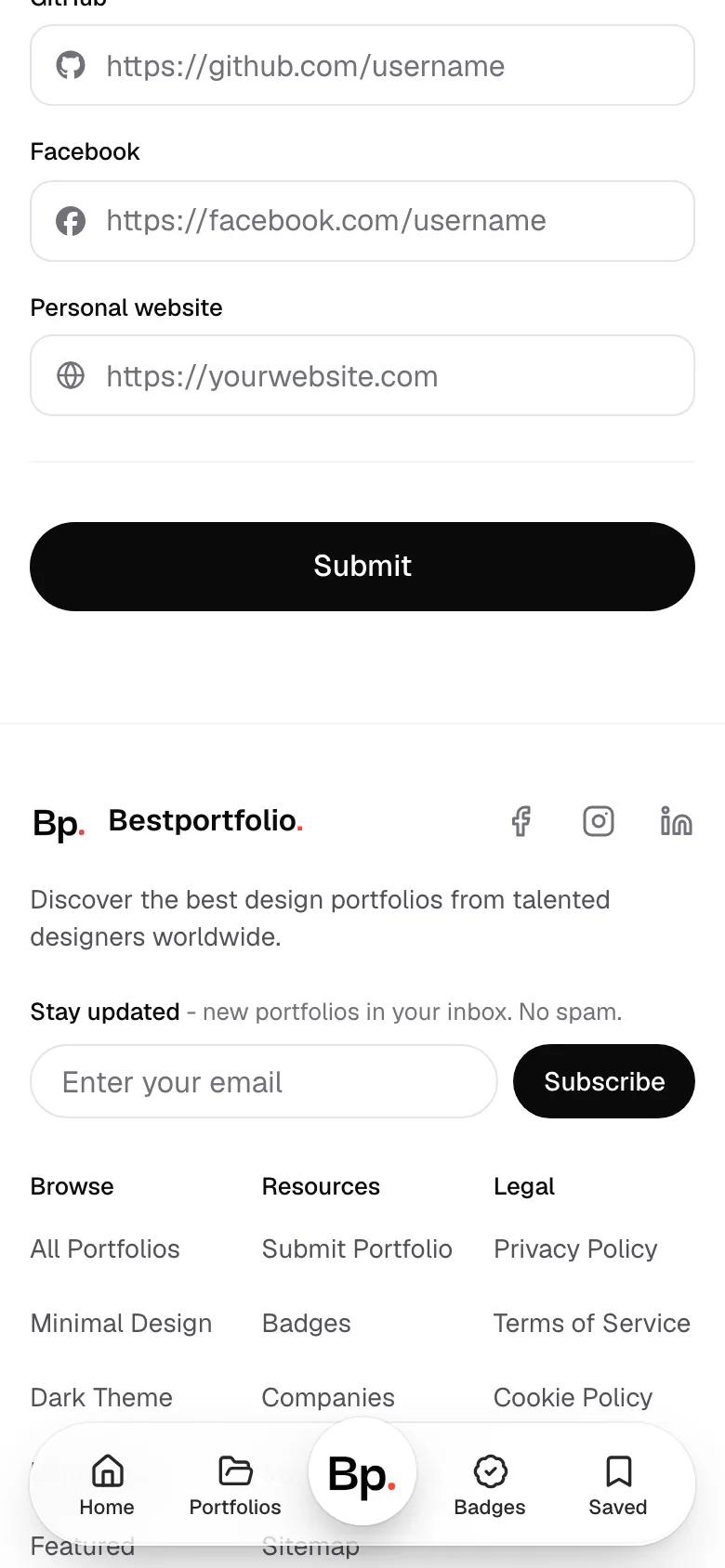
Everything filled in
05Sample profile
Submit
Press Submit. You do not pick styles or take screenshots: the review team takes the screenshots and picks the styles.
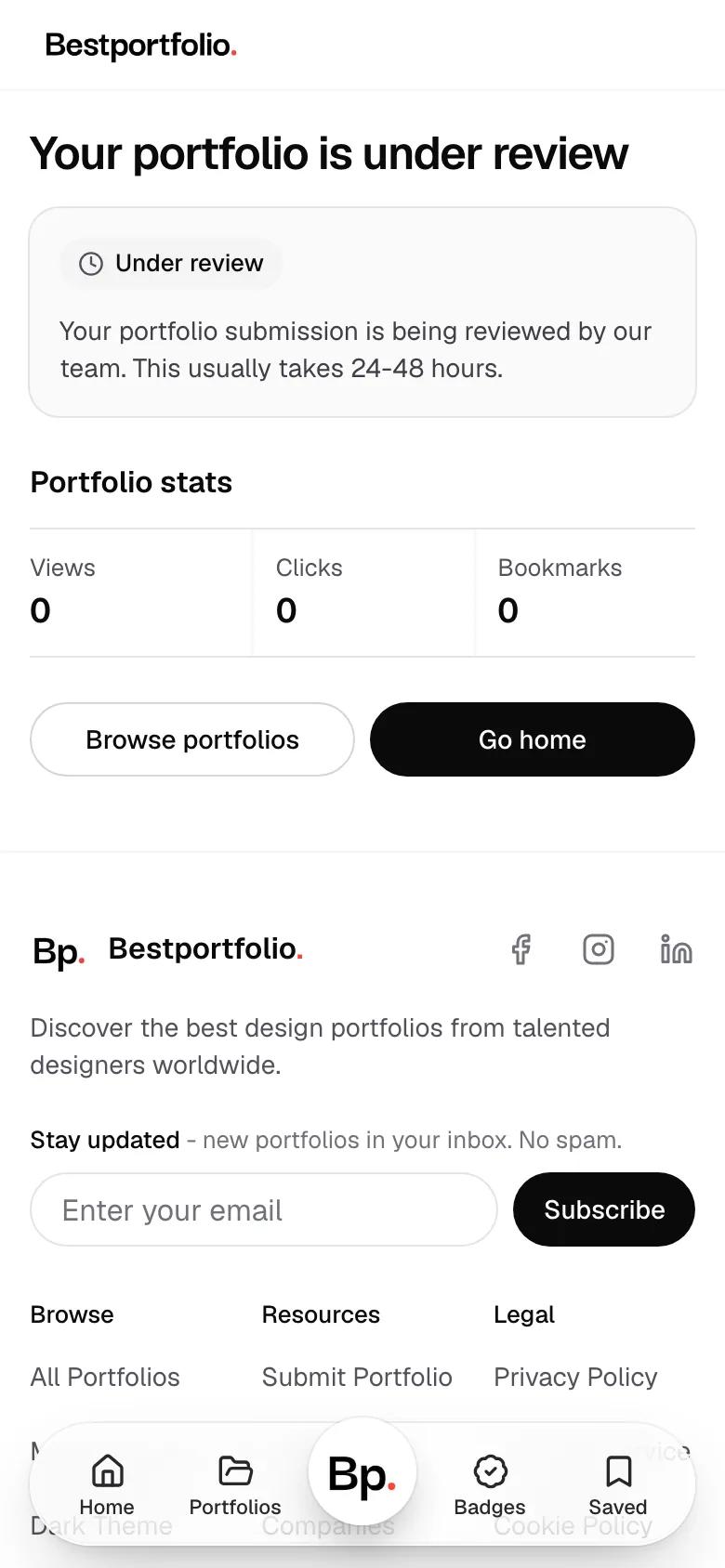
06Sample profile
Reviewed by hand
A person looks at every portfolio, usually within two days. Until then your page says Under review.
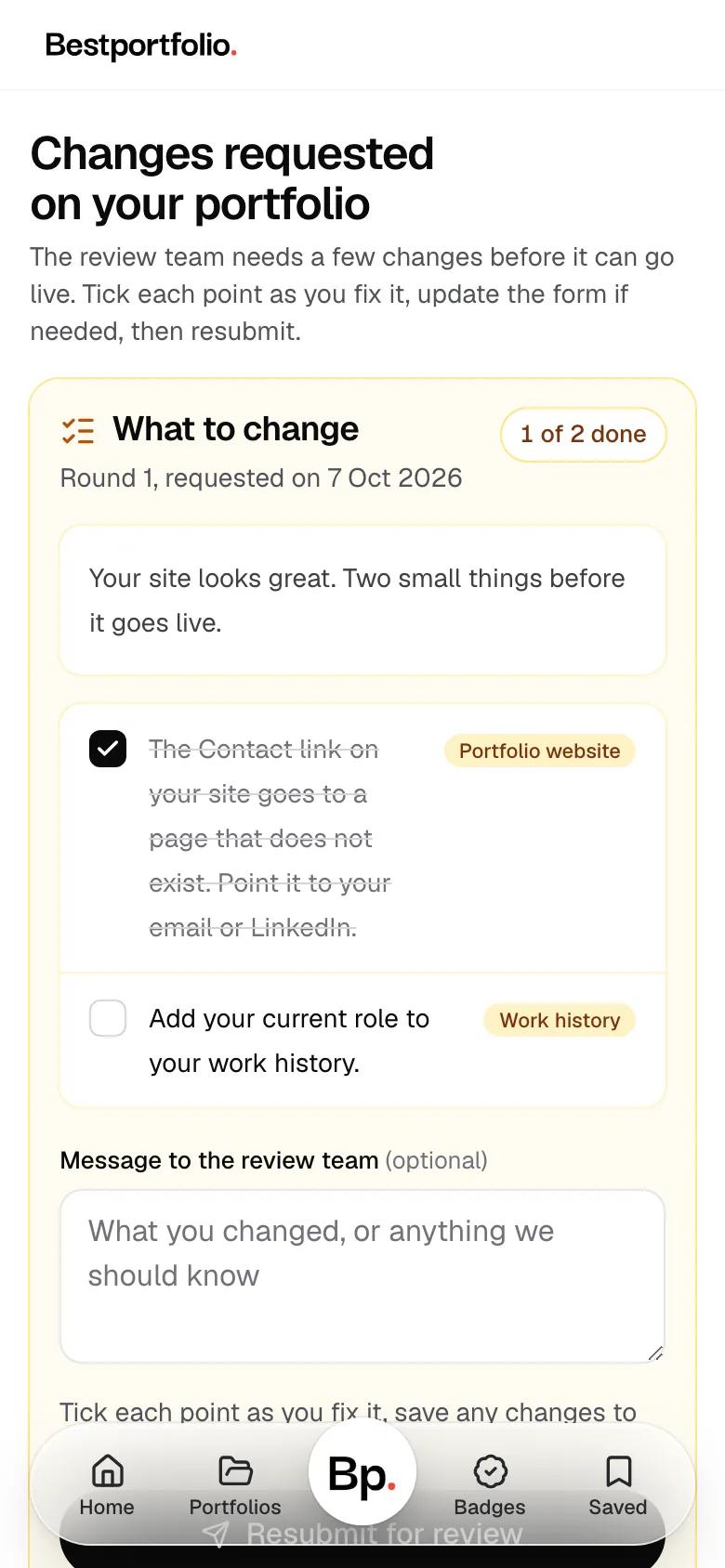
The checklist from the review team
07Sample profile
A checklist, not a no
If something needs fixing, you get a short checklist by email and on your page. Nothing has been rejected. Tick each point as you fix it, then resubmit.
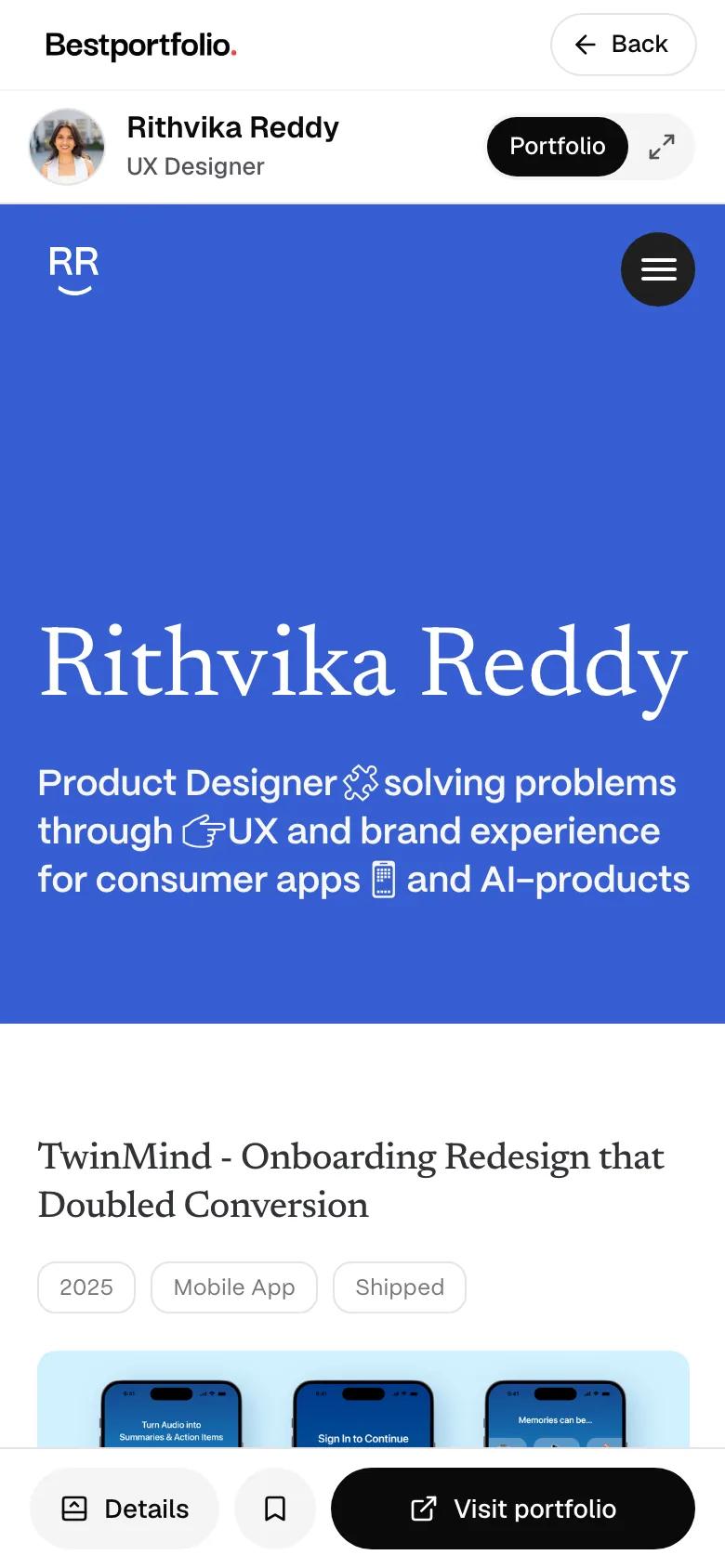
08A real approved page
Approved: your own page, Verified
Your portfolio goes live on a page of its own at bestportfolio.in, with the Verified badge. BestPortfolio also shares it on LinkedIn and Instagram.
Then the badges
Verified comes with approval. The editors choose some badges and the numbers decide the rest.
When you are approved
Verified
The BestPortfolio editors have reviewed and approved your portfolio. Yours from day one.
Chosen by the editors
Featured
The editors feature your portfolio. It shows while your portfolio stays featured.
Portfolio of the Month
One portfolio a month. Yours to keep, with its month and year.
Earned by the numbers
Top 10
One of the 10 most viewed portfolios on BestPortfolio, while it stays there.
Views
1K, 10K, 100K or 1M views here, each person counted once. Every tier is kept.
Site visitors
At least 100 visitors on your own website in the last 30 days, counted by the badge.


Your badge, on your own site
Paste one line of code and the badge shows on your website, linked to your page on BestPortfolio. It uses no cookies, and new badges appear on it by themselves.
Demo profile
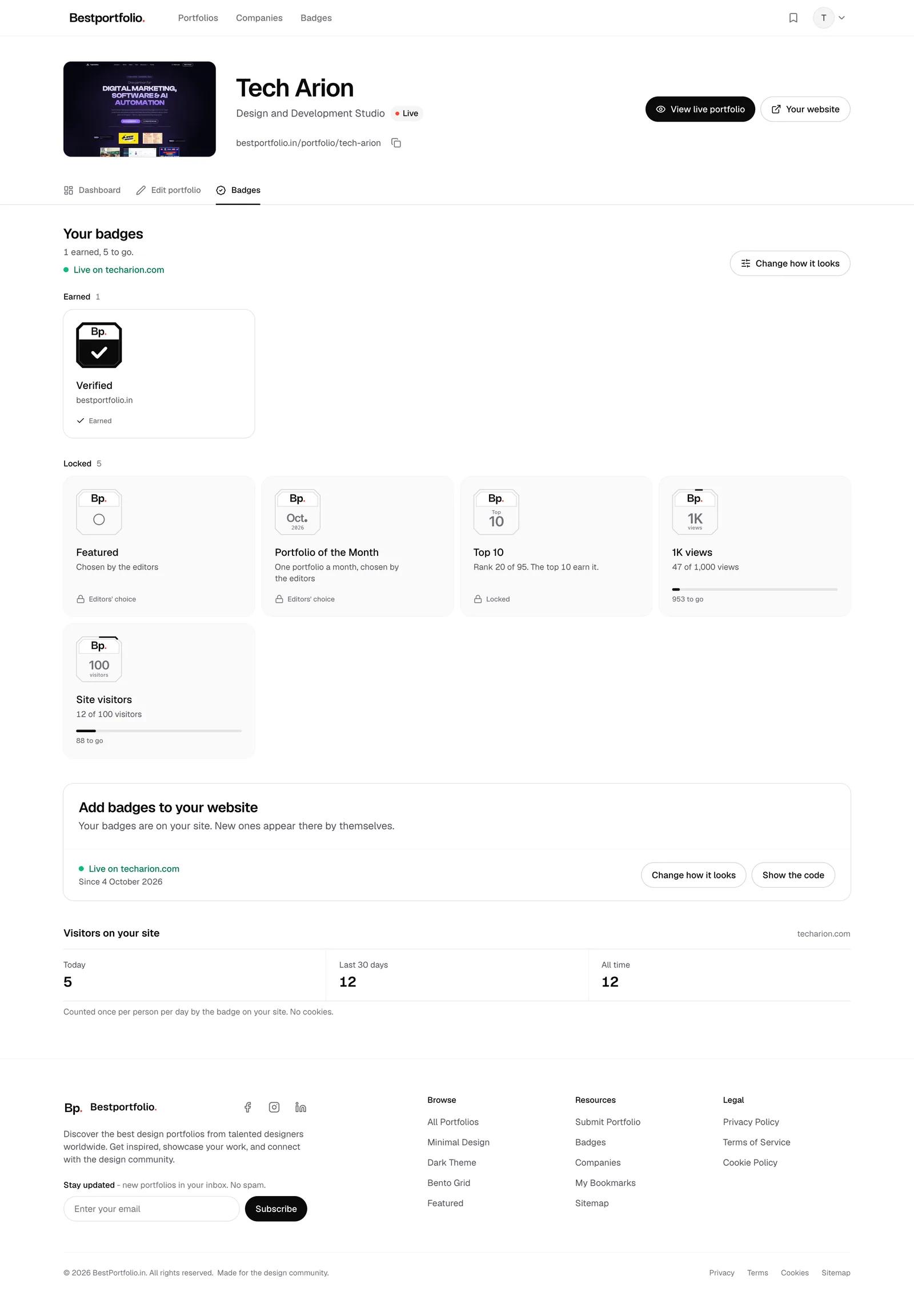
Set it up in your Badges tab
See what you have earned and what each badge still needs. Pick the look, copy the line and press Check.
Demo profile
1:24, music only. From approval to the badge on your site.
All about badges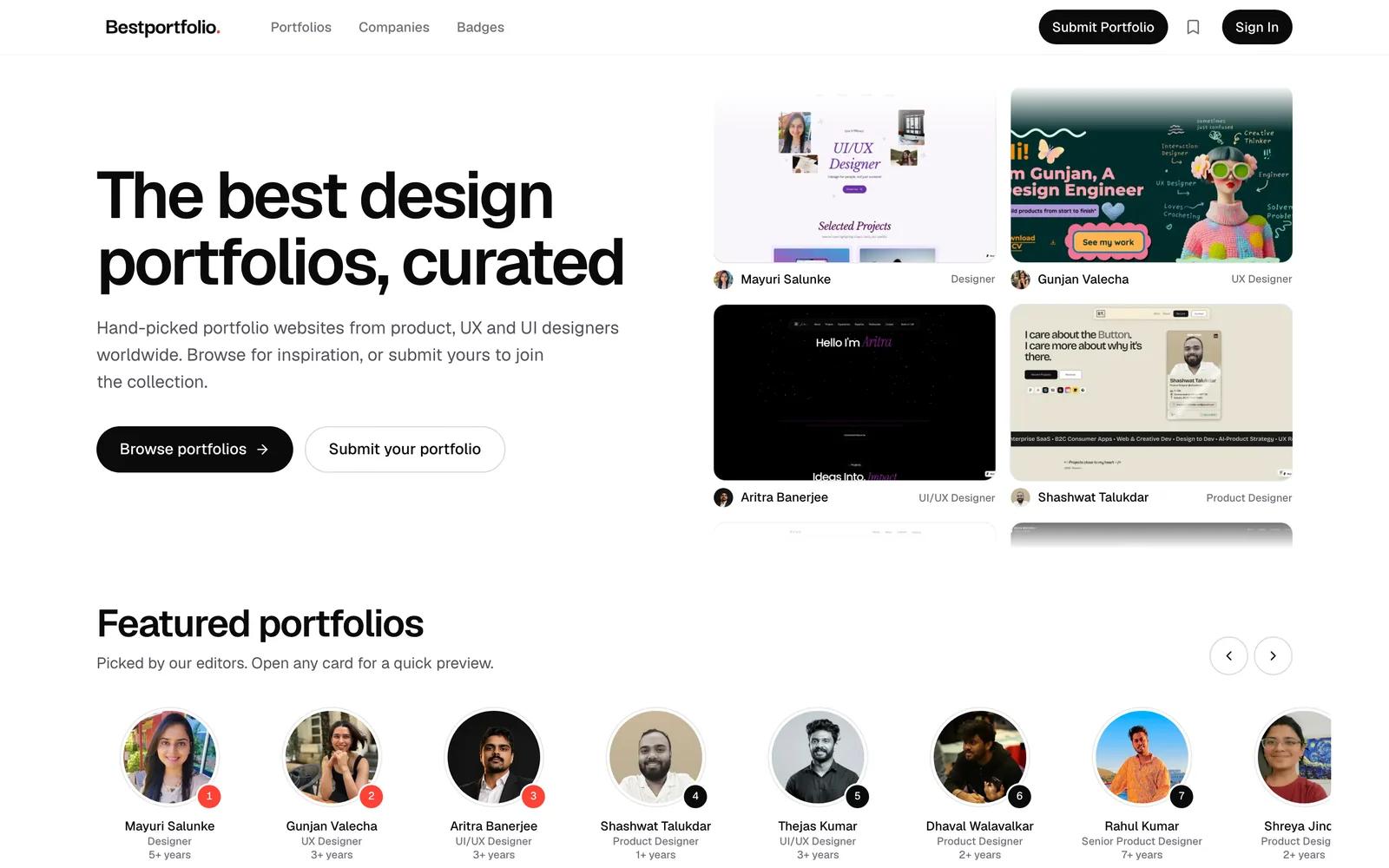
Every portfolio is shown by the first screen of its own site.
Before you send it
Three quick checks before you press Submit.
Your own finished site
A live portfolio website of your own, finished and public. Designers, developers, engineers and artists are all welcome.
Every link works
Click through every page, button and contact link once before you send it.
A first screen that looks good
Your thumbnail is the first screen of your site on a large desktop screen, 1920 by 1080, so make the top of your home page count.
Send us your portfolio
It is free. Sign in, fill in one page and press Submit.